plugin.properties file
The Bulk Loader plugin.properties file is found in install\ext\analysis-purchasing-module and affects both command line and UI-based Bulk Costing. Although most of the settings in this properties file are documented by comments, you should not change this file without the assistance of aPriori Customer Support.
Note: To ensure that child processes cannot cause the parent bulk load process to hang, bulkload.batch.size has a default value of "50" (formerly "0"). The value is used in this calculation:
maxBatchSize * launcher.cost.timeout.seconds + 15 mins
If this value is exceeded, the parent bulk loader process kills any child process and aPriori notifies you with a message similar to:
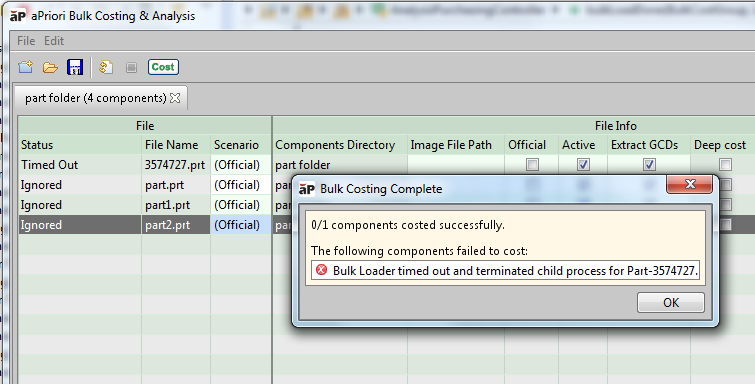
You can uncomment bulkload.batch.size and set it to a positive value. However, a value of "0" is no longer supported.
The Bulk Loader plugin.properties file contains a new property named bulkload.rmi.port (default value "1099") This is a unique port number that the Bulk Loader uses to communicate with its children processes. Don't change it unless you are running two instances of Bulk Loader concurrently on the same machine, or the default port (1099) is already in use. You can also control cache cleaning behavior from this file. See the note in the table "Summary of aPriori Properties" in the System Administration Guide for more info.