To override aPriori’s choice of principal setup axes, follow these steps:
-
In the Viewer toolbar, Click the setup axis tool,
 , and select User-Defined Setups… from the popup menu. The User-Defined Setups dialog appears.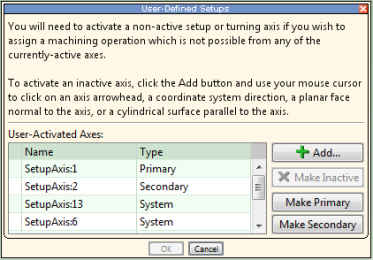
-
Select a setup axis in the User-Activated Axes table, and click Make Primary or Make Secondary.
-
Click OK.

