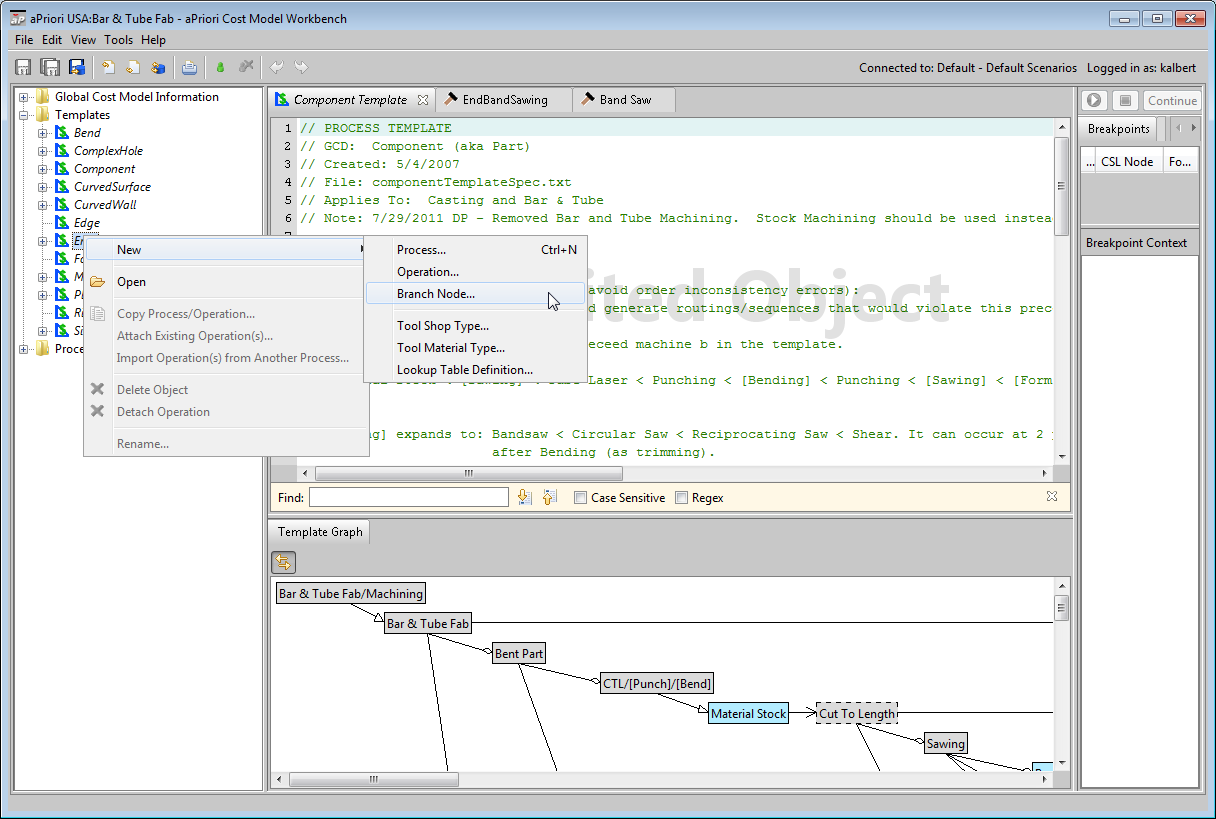
To create a new branch node, follow these steps:
-
In the navigation pane, under Templates, right-click on the GCD type whose template will refer to the new branch node. Select New > Branch Node... from the context menu.
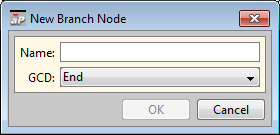
The New Branch Node dialog appears.
-
In the New Branch Node dialog, modify the following sections, if necessary:
Name: enter a name for the new operation.
GCD: specify the new branch node’s associated GCD type, the GCD type whose template will refer to the new branch node.
-
Modify the template for the new branch node’s associated GCD type to refer to the new branch node; see Working with Tool Shop Metadata Create or modify the appropriate CSL modules.