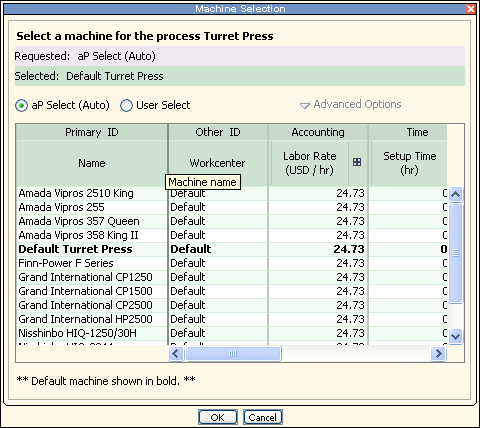
When you select a routing, aPriori automatically selects a machine for each process, based on machine feasibility and selection rules defined for each process.
-
For most processes, the machine must be physically large enough to accommodate the part.
-
Of the machines that meet the feasibility rules, typically, the selected machine is the machine of that set with the lowest overhead rate.
-
You can manually select a different machine, other than the one that aPriori selects automatically.
The machines available for a process are defined by the selected Digital Factory.
View the machines that can be used by a process
Do one of the following to display the machine selection options for a process the Machine Selection window:
-
If the process is included in the current routing, right-click the process in the Manufacturing Process pane and select Machine Selection from the context menu.
-
If the process is not included in the current routing, select Edit > Routing Selection in the Manufacturing Process pane to display the Routing Selection window, then right-click the process and select Machine Selection from the context menu.
Note: If the Machine Selection option is disabled on the context menu, machine selection is not allowed for the process.
Manually select a machine for a process
-
View the machines that can be used for a process on the Machine Selection window.
-
Select a machine from the list. If you cannot select a machine, machine selection is not allowed for the process.
-
To change selection policy, click Advanced Options. You can choose from the following options:
-
Check feasibility: if not feasible, auto select.
-
Check feasibility if not feasible, fail to cost.
-
Do not check feasibility.
-
-
Click OK to apply changes, recalculate the cost, and close the Edit Machine Selection window; or click Apply to apply changes and recalculate the cost without leaving the window.