A process routing is a sequence of processes that completes manufacturing of a component (part or assembly); for example, Cut-to-Length > Laser Cut > Bend Brake.
- As alternative and optional processes may be used to manufacture a component, multiple routing options exist for the same component.
- aPriori evaluates feasibility and cost of available routing options and auto-selects the best routing for the component.
- You can use the aPriori Routing Selection window to select an alternative routing manually and/or change routing options.
For information on the routings available for a specific process group, see the Cost Model Guide.
Specifying a Routing Before Initial Costing
Follow these steps if you want to specify a particular process routing before costing:
-
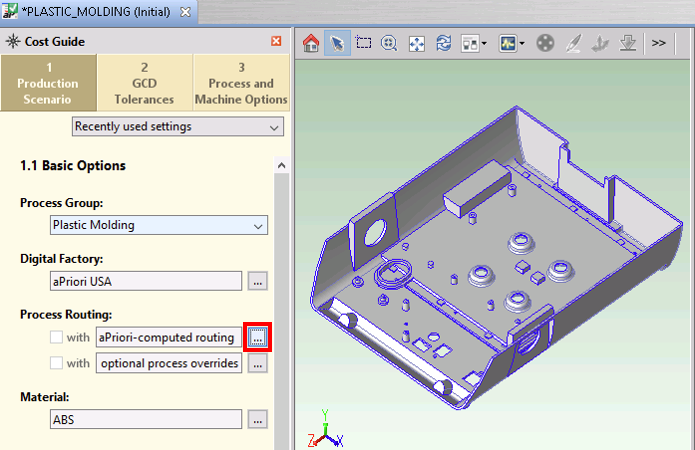
Click ... next to aPriori-computed routing in the Process Routing section of the Cost Guide.
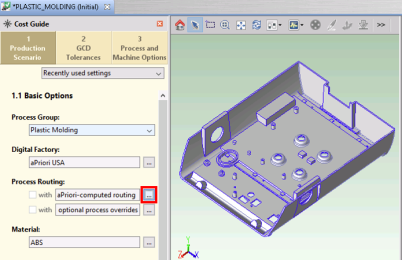
The Routing Selection window appears.
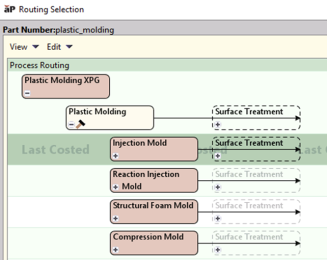
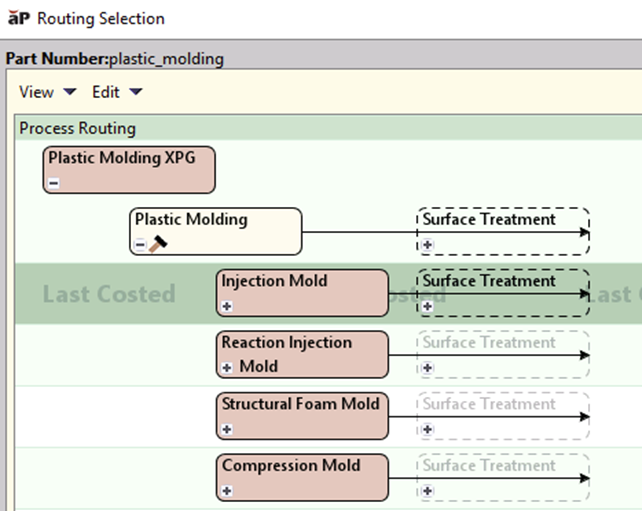
The image above shows the routing choices for the Plastic Molding process group: Injection Mold, Reaction Injection Mold, and Structural Foam Mold. The Process Group setting in the Cost Guide determines which processes are shown.
-
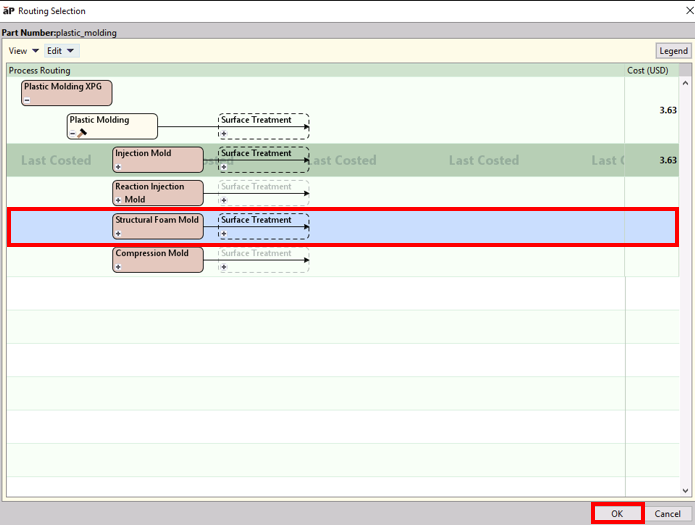
Click in the horizontal area containing the routing you want to choose, and click OK.
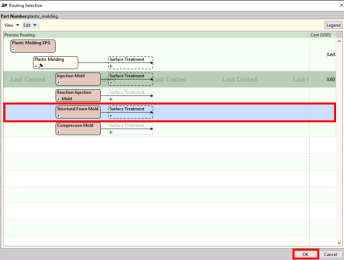
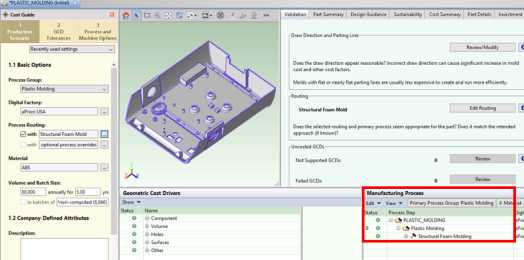
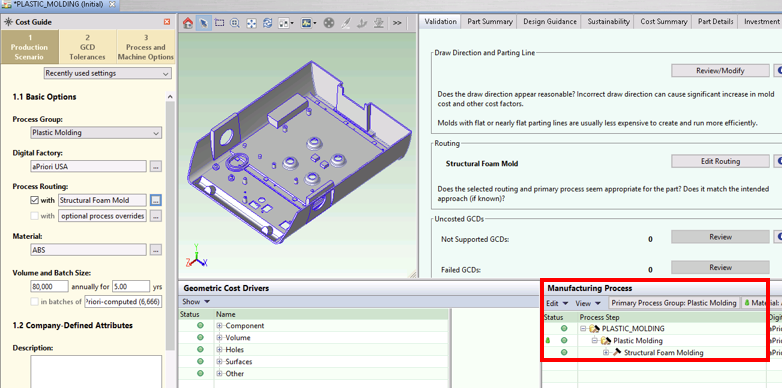
The selected routing is shown in the Process Routing section.
Specifying a Routing After Initial Costing
Follow these steps:
-
Do one of the following to display the Routing selection window:
-
Click ... next to aPriori-computed routing in the Process Routing section of the Cost Guide
-
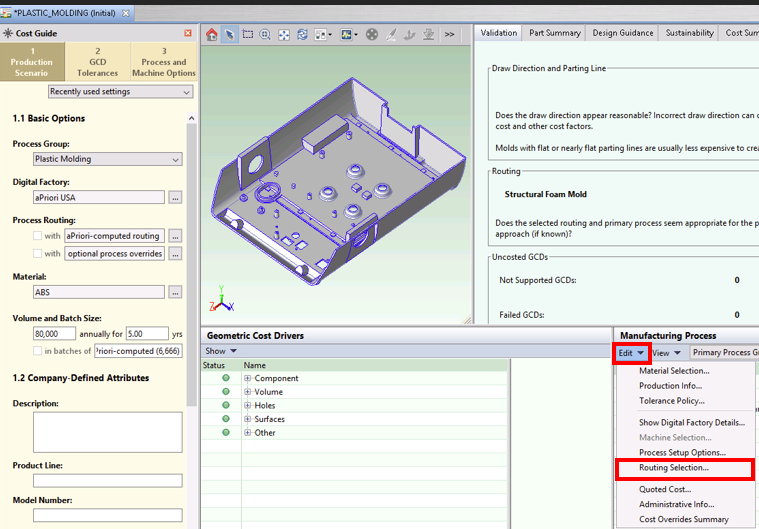
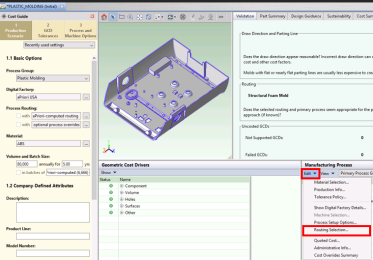
In the Manufacturing Process pane, click Edit > Routing Selection or right-click and select Routing Selection.
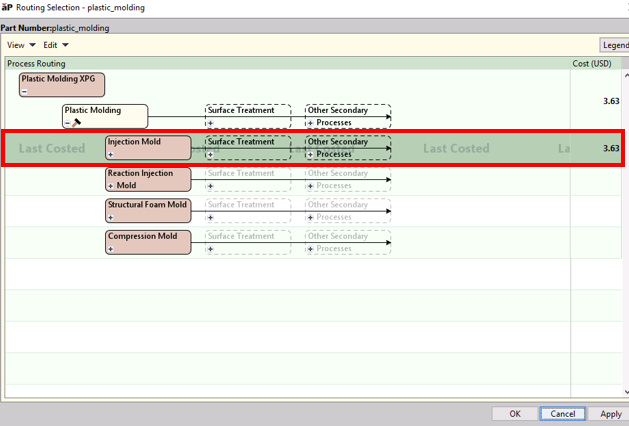
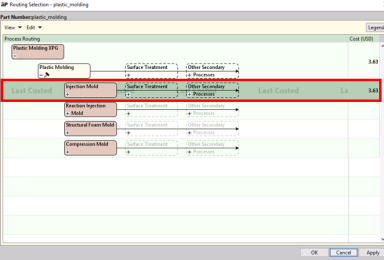
The Routing Selection window is displayed and shows the last costed routing with a darker green color and the words “Last Costed”:
-
-
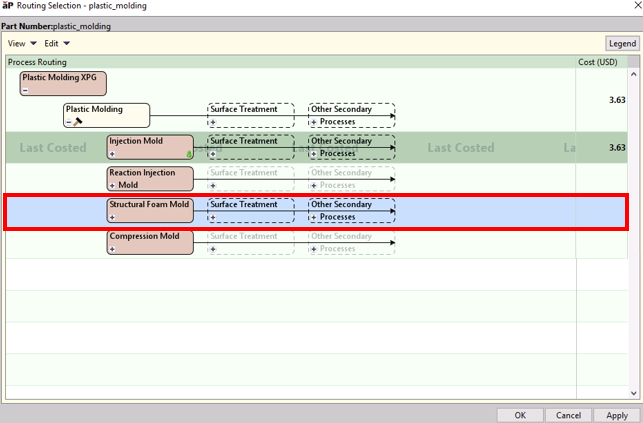
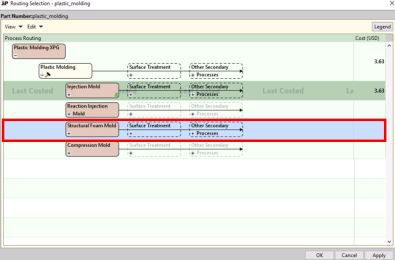
To change the routing, click the row containing the routing you want to choose (the row color changes to blue).
-
Click OK to cost the component and close the window, or click Apply to cost the component and see the resulting cost updated in the Routing Selection window.