Add Components to an Assembly
You can add components to an existing assembly; either adding previously-costed components, or create a virtual component to add.
To add a component to the assembly:
-
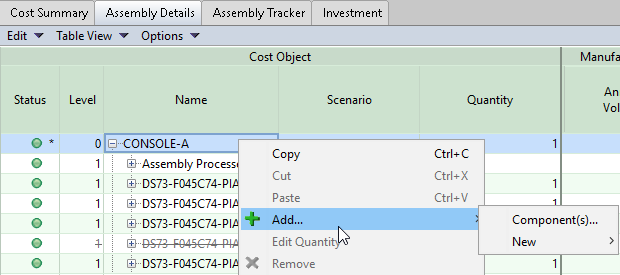
Select the top-level assembly in the assembly tree, right click and select Add... from the drop down menu.
-
Select Add > Component(s) to add an existing component.
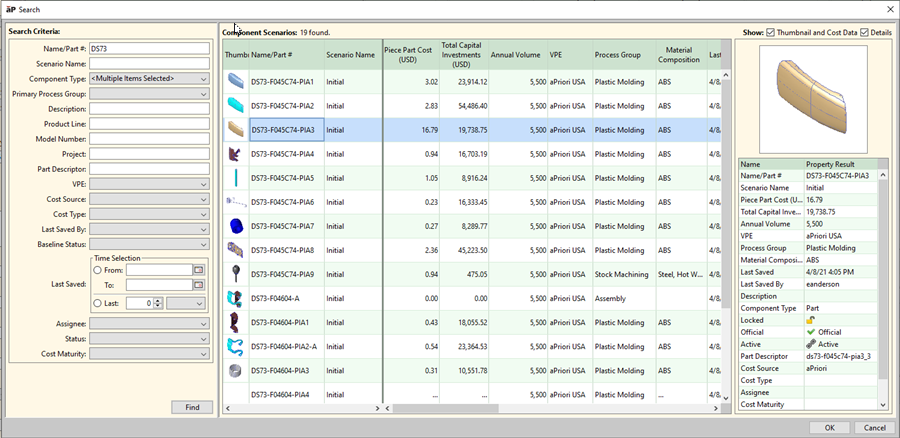
In the search window that appears, you can search the database for the components to add, select, and click OK.
-
Alternatively, select Add > New > Part to create a virtual component, if a CAD file is not available for the component. See Add Virtual Components to an Assembly.