Design Guidance Spreadsheet Report
aPriori spreadsheet reports extract data from a scenario and present it in an Excel spreadsheet.
This page describes the system-defined spreadsheet report that has design guidance data. The report provides a prioritized summary of the manufacturability and cost driving issues identified for the active part scenario.
To generate a Design Guidance spreadsheet report, select Reports > Spreadsheet Reports..., and then select Part Design Guidance from the dropdown list. See also Generate a Report for a Part.
Contents of Design Guidance Spreadsheet Report
The report contains three sections:
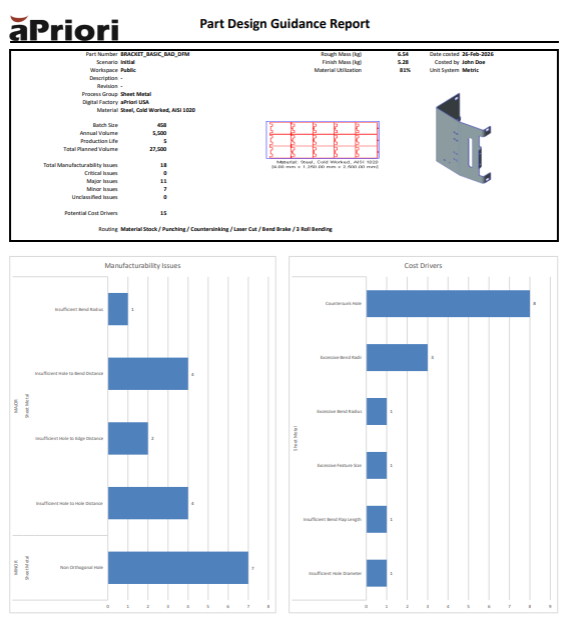
Header
This section, like the header of the Part Cost report, includes key part information, along with production inputs and manufacturing assumptions.
The bottom-left of this section also includes:
-
Total count of manufacturability issues
-
Count of manufacturability issues for each severity(Critical, Major, Minor, Unclassified)
-
Count of cost driver issues
Manufacturability Issues Bar Graph
This section (the lower-left of the report) displays, for each severity level, the count of issues of each manufacturability issue type encountered. The displays are sorted by severity (highest severity first).
Cost Drivers Bar Graph
This section (on the lower-right of the report) displays the count of each cost driving issue type encountered. The displays are sorted by count (highest count first).