Sheet Plastic Routing and Feasibility
This section covers the following topics:
Thermoforming Routing
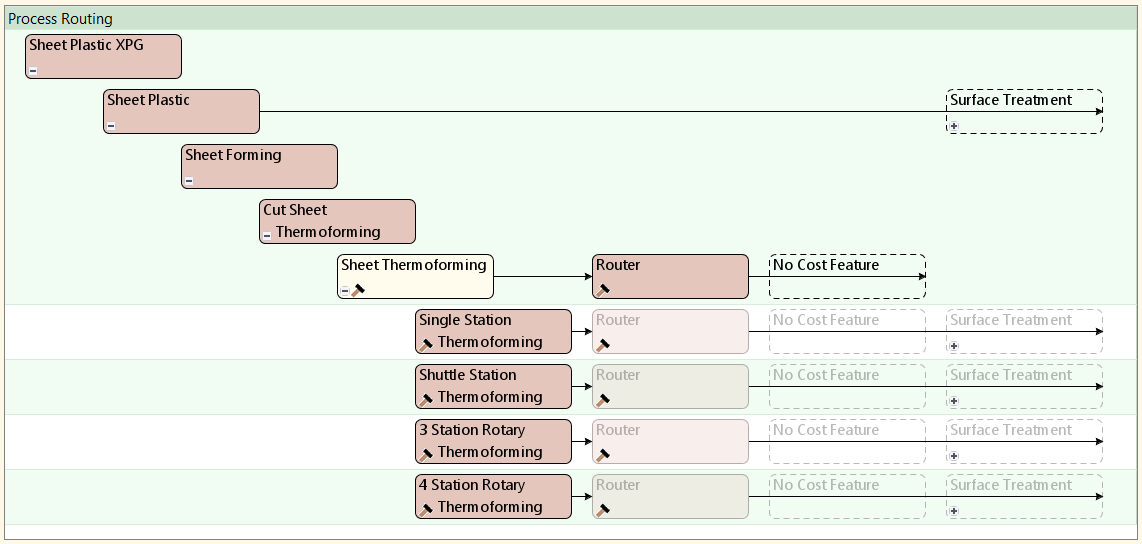
aPriori’s Sheet Plastic cost model includes the four thermoforming processes under the Sheet Thermoforming node in the Process Routing editor. Each routing includes subsequent optional surface treatment and packaging processes if your company has licensed these modules. The Router process is automatically included in all routings. aPriori analyzes all four routings and automatically selects the most cost-effective routing based on machine configuration.
To display routing information, in the Manufacturing Process panel select Edit > Routing Selection to display the alternative routings in the Routing Selection window:
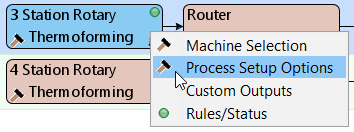
You can configure multiple setup options, some at the Sheet Thermoforming level, and some at the process level, including Mold Type and Number of Parts per Sheet. Right click one of the nodes to view and select the setup options:
For more details, see Sheet Thermoforming Setup Options.
Process Time and Cycle time vary according to the selected routing. See Cycle Time for Sheet Plastic.
Thermoforming Feasibility
aPriori checks on the Sheet Thermoforming branch node that the dimensions of the stock sheet (length and width) can accommodate the requested Number of Parts per Sheet. If the user has selected an infeasible combination of stock sheet dimensions (see Minimum Sheet Length and Minimum Sheet Width), and number of parts per sheet, costing fails and aPriori displays an error message. In this case, users should either increase the sheet dimensions or decrease the number of parts per sheet.