Restart an Agent
You may have to restart an agent as part of an installation, connection, or troubleshooting process.
To restart an agent on your Windows machine or server:
-
Open the Windows Task Manager. For example, by pressing Ctrl+Alt+Delete and selecting Task Manager.
-
In the Task Manager window, click the Services tab.
- At the bottom of the Services tab, click Open Services.
-
In the Services window in the Service (Local) pane, select the row that contains the Agent service.
If the Agent was installed using the Wizard, the Name and Description appears as
aPriori Service - <installation_folder>
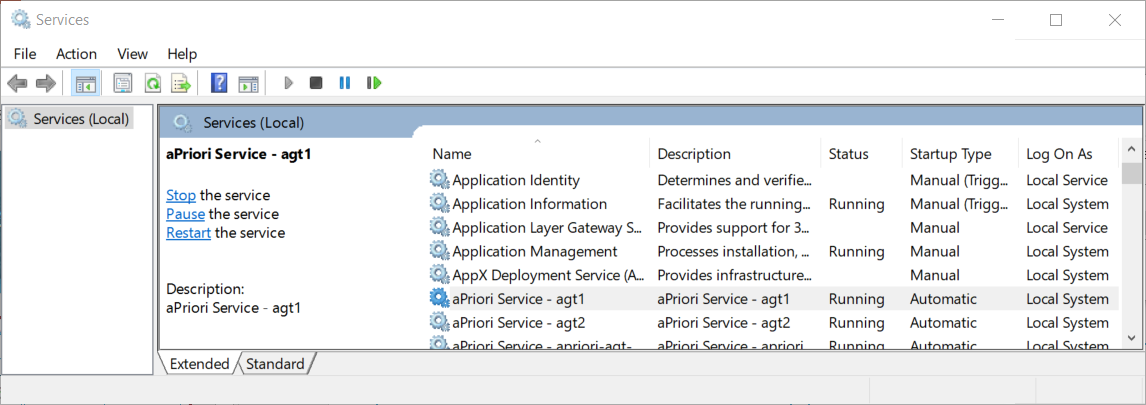
- In the left side, of the Services pane, click Restart.