View Account Information for the Current User in the Account Menu
The User Account menu includes this information for the logged-in aP Connect account user:
- User – First and last name
- Login ID – Email address
- Company – Company name and, optionally, department
To open the User Account menu, in the aP Connect header bar, click the User icon, as shown in the figure.

- View Account Information on the aP Connect Users Page
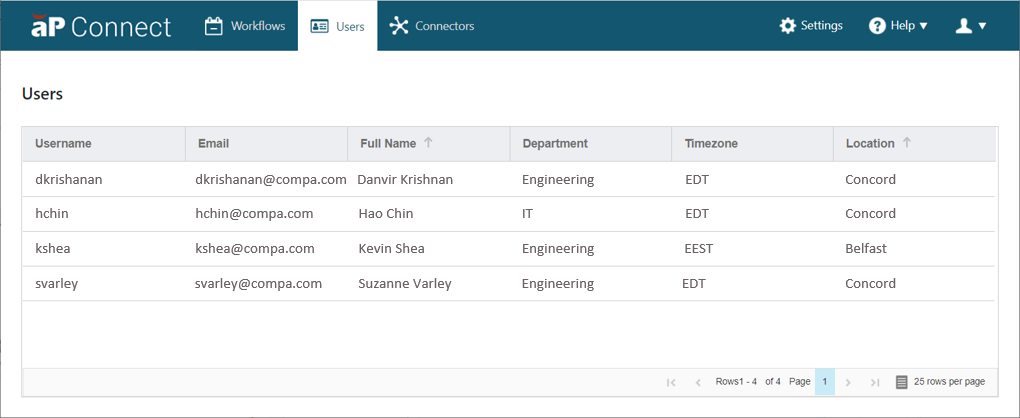
The Users page includes this information for each aP Connect system administrator:
- Username
- Full Name
- Department
- Time Zone
- Location
To open the Users page, in the aP Connect header bar, click Users.
You cannot change any of the information on the Users page from within aP Connect.
You can:
- Sort the table based on the alpha-numeric information in each column.
- Change the order of the column headings.
- Navigate to another page.
- Adjust the pagination.