Invoke a Workflow
You can invoke, that is manually execute, a Workflow regardless of whether it is enabled or disabled. However, you cannot invoke a Workflow that is Locked.
Notes
- If you invoke a Workflow, the Workflow runs immediately, regardless of:
- The schedule designated by the active schedule frequency tab
- Whether the Workflow schedule is enabled
- aP Connect runs the Workflow automatically only if the Workflow is enabled.
- More than one run of a Workflow can occur at any given time. For example, if a Workflow is scheduled to run at the start of every hour, but it takes 1.5 hours to complete a run, a second run will start while a first run is 30 minutes from completion.
- To maintain performance and protect Workflows from failing due to upstream edits aP Connect automatically locks Workflows while they are executing.
Invoke a Workflow:
- Open the Workflows page. In the aP Connect header bar, click Workflows.
- Open the Schedule tab. Click Schedule.
-
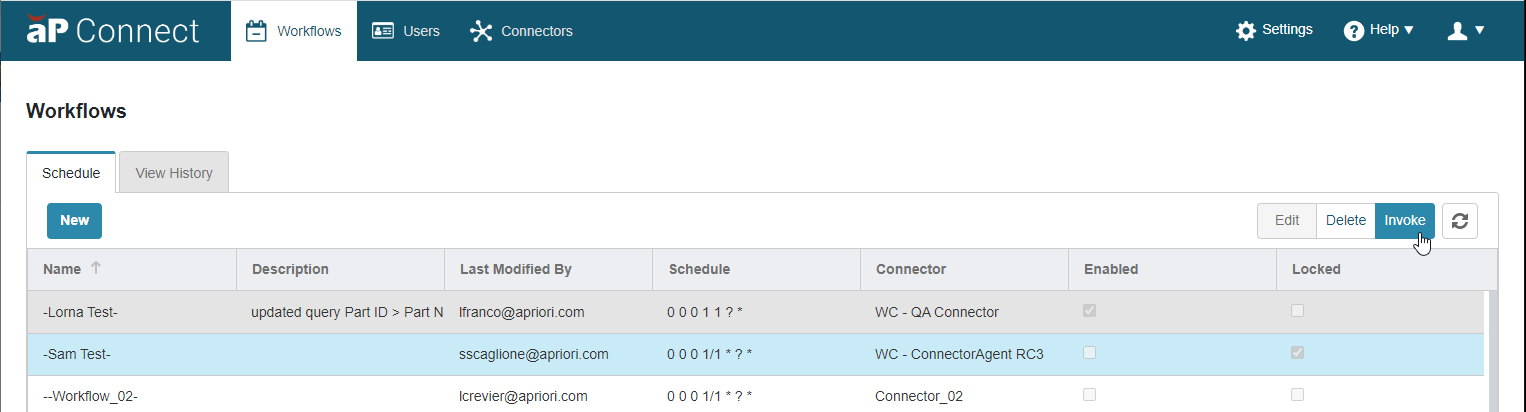
Scroll or sort to and then select the row that contains the Workflow that you want to invoke.
The selected row becomes blue.
-
Click Invoke.
aP Connect executes the Workflow.