Delete a Workflow
You can delete Workflows. You can even delete a Workflow that is Locked because it is executing. However, the job for the deleted Workflow continues to execute unless you cancel the job. Once you delete a Workflow, all associated jobs are deleted from the View History tab on the Workflows page.
Delete a Workflow:
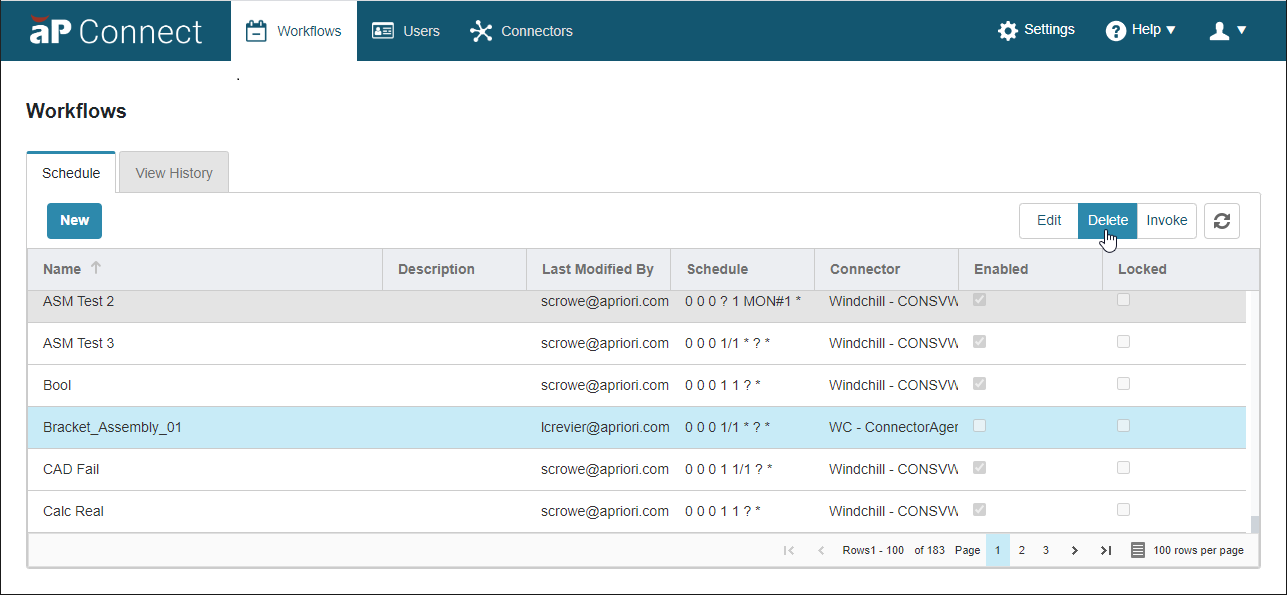
- Open the Workflows page. In the aP Connect header bar, click Workflows.
- Open the Schedule tab. Click Schedule.
-
Scroll or sort to and then select the row that contains the Workflow that you want to delete.
The selected row becomes blue.
Note:
You can delete a locked Workflow.
-
Click Delete.
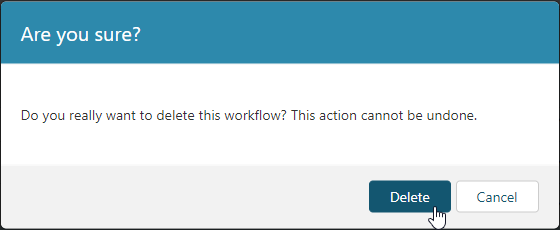
The deletion confirmation window opens.
-
Click Delete.
The Workflow is deleted.