Exchange Rate Table
Cost Insight Design (CID) Release Notes 2021 R1 SP1
Examine currency exchange rates in the Cost Insight Design preference settings.
The Cost Insight Design Display Preferences tab now displays currency exchange rates for quick reference. To view the exchange rates, in the Cost Insight Design header bar, select the Preferences button, . By default, the settings open to the Display Preferences tab which displays the exchange rate table.
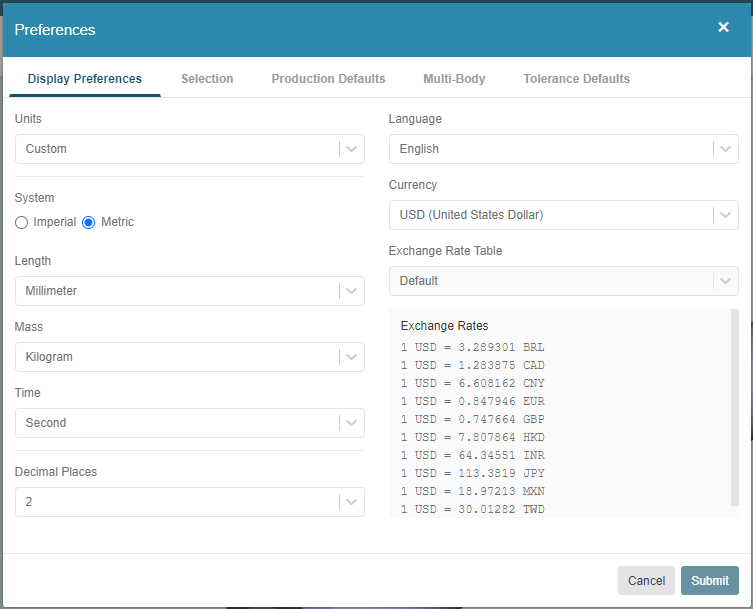
To select a different table, choose from the options that are available in the Exchange Rate Table dropdown menu.