Default Production Values
Use the Production Defaults tab to set the default production and manufacturing input values for new components:
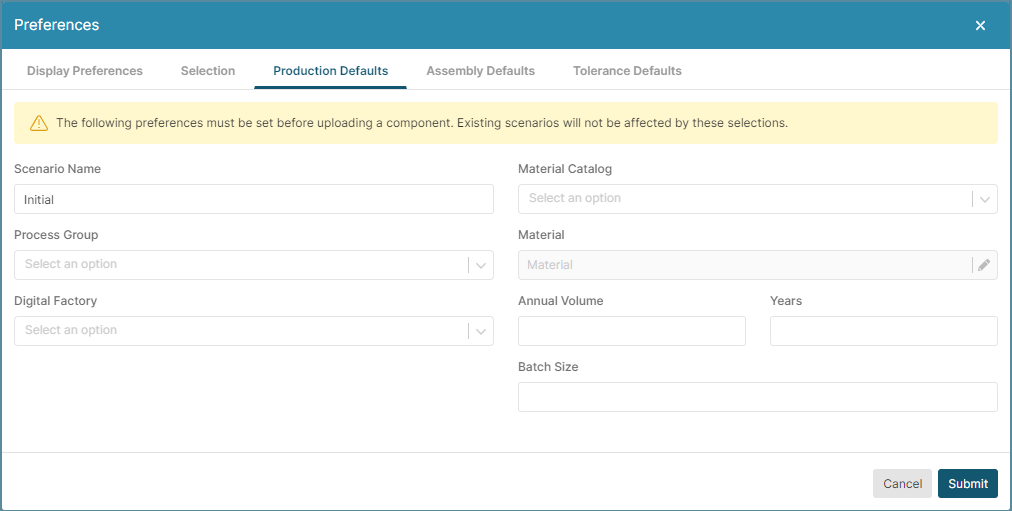
You can set the defaults for:
- Scenario Name: Name for the scenario. The aP Design default name is Initial.
- Process Group: the Manufacturing process used to make the component.
- Digital Factory: the aPriori Design Virtual Production Environment.
- Material Catalog: the catalog to select the material that the component is made from.
-
Material: the material that the component is made from.
Note: This setting is available only if an option is selected for the Material Catalog setting.
-
Annual Volume: the number of components made per year, specified as an integer.
- Prod. Life (years): Number of years the component is manufactured.
- Batch Size: Typical number of components produced in one month. The options are:
- Auto: aP Design calculates batch size as 1/12 of the value specified by the Annual Volume setting.
- Manual: Specify the Batch Size as an integer in the data field.