Review Results for a Simple Part
After analyzing a simple part, you can review the results across four areas: Design Guidance, Material & Process, Sustainability, and Cost Results.
Review the Design Guidance Results
The Design Guidance tile summarizes design issues and requirements that can decrease manufacturability and increase cost:
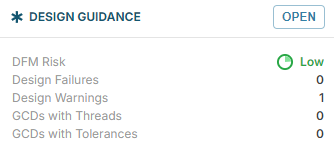
For example, DFM Risk shows Manufacturability rating: Low, Medium, High, and Critical. For more details, see Review Design Guidance.
Click to expand the Design Guidance drawer:
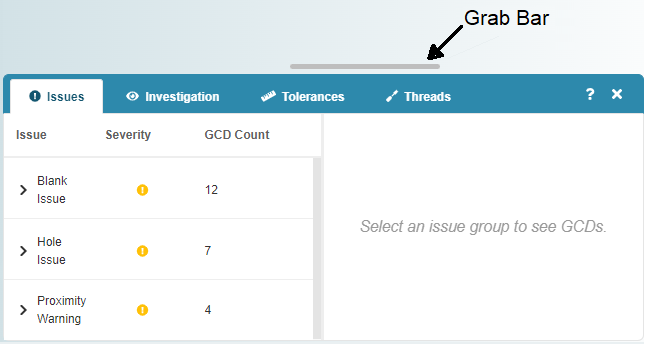
You can then review detailed information, to help resolve issues, optimize cost and manufacturability, and improve your cost analysis. For example, the Issues tab shows issues and mitigation strategies for GCDs that generated a Design Warning or Design Failure.
For more information, see Examine Design Issues.
Review the Material and Process Results
The Material & Process tile provides high level information about processes and material use.
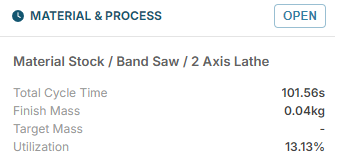
The tile provides the suggested routing, that is, the order and name of each high-level process, for making the component. It also provides production measures, for example Total Cycle Time: the time required to complete all processes that are required to make the component.
Click to expand the Material and Process drawer:
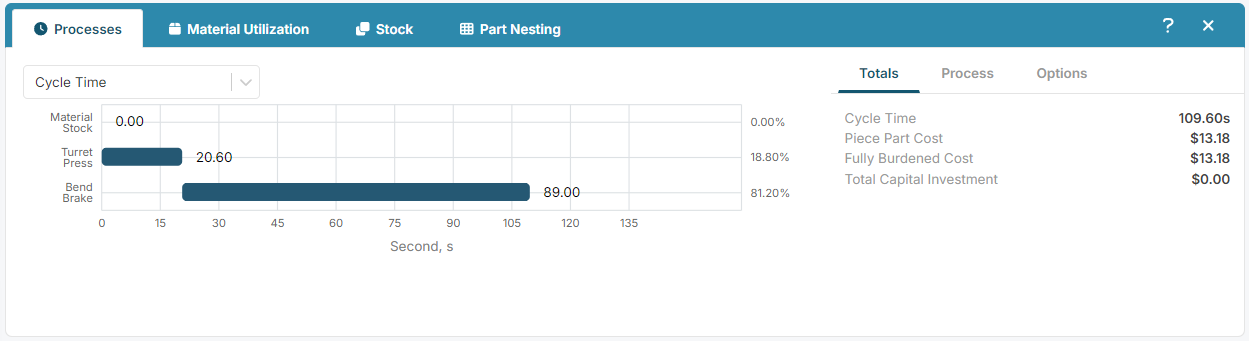
You can now review detailed information about the material mass and utilization and the processes that are required to make the component. For example, the Processes tab shows an interactive chart that includes detailed cycle times, fully burdened costs, and carbon emissions.
For more information, see Review Materials and Process.
Review the Sustainability Results
The Sustainability tile provides high level information about the carbon impact for manufacturing the part:
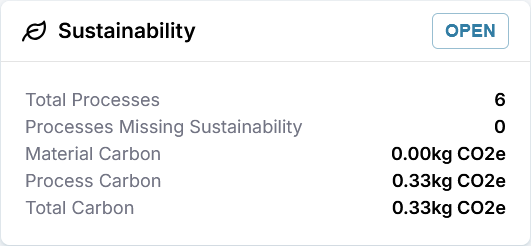
Click to expand the Sustainability drawer:
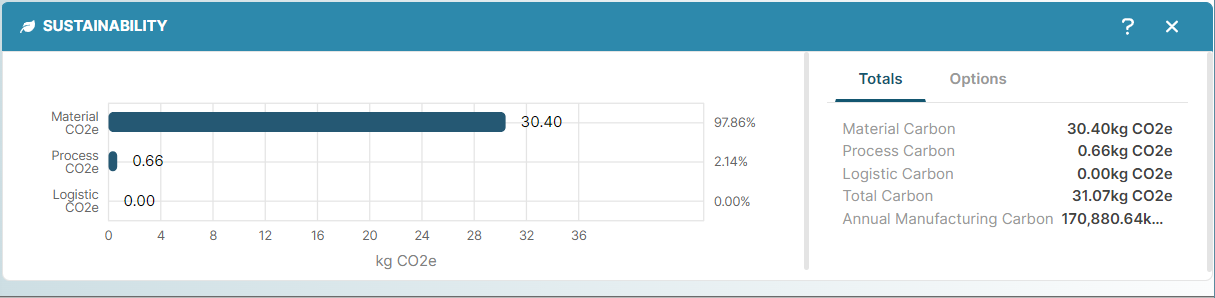
You can now review detailed information about the carbon emissions for the part, including an interactive chart for carbon data.
For more information, see Review Sustainability.
Review the Cost Results
The Cost Results tile provides high level information about the costs involved in the manufacturing of the component:
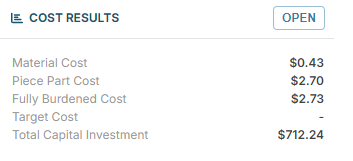
Click to expand the Cost Results drawer:
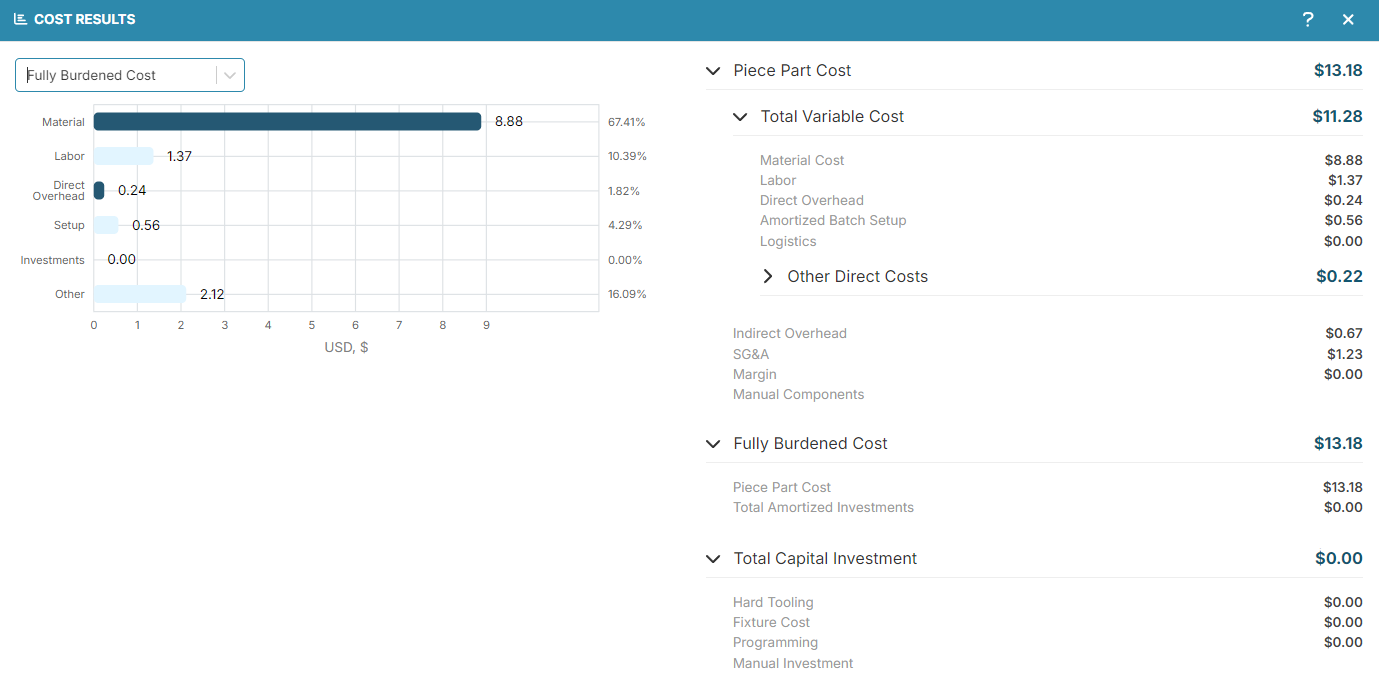
The Cost Results explorer provides detailed information about the financial costs that are associated with manufacturing the component, including an interactive chart that breaks down the costs.
For more information, see Review Cost Results.
You've worked through the core aP Design workflow
Continue with Key Concepts or explore the full User Guide