Restructured Tolerance Default Settings
Cost Insight Design (CID) Release Notes 2021 R1 SP1
The category-based input field groupings on the new Tolerance Defaults tab make it easier to enter and update default values regardless of whether you use geometric tolerances or coordinate tolerances.
The Tolerances Overrides window allows you to specify default tolerances and surface roughness for new components in Cost Insight Design. The input fields in for default tolerance values are now organized in category-based groups that allow you to quickly specify all the values for the specific tolerance methods that your organization uses. The newly created category groupings, as shown in this figure, are Geometric Tolerance, Coordinate Tolerances, and Surface Texture.
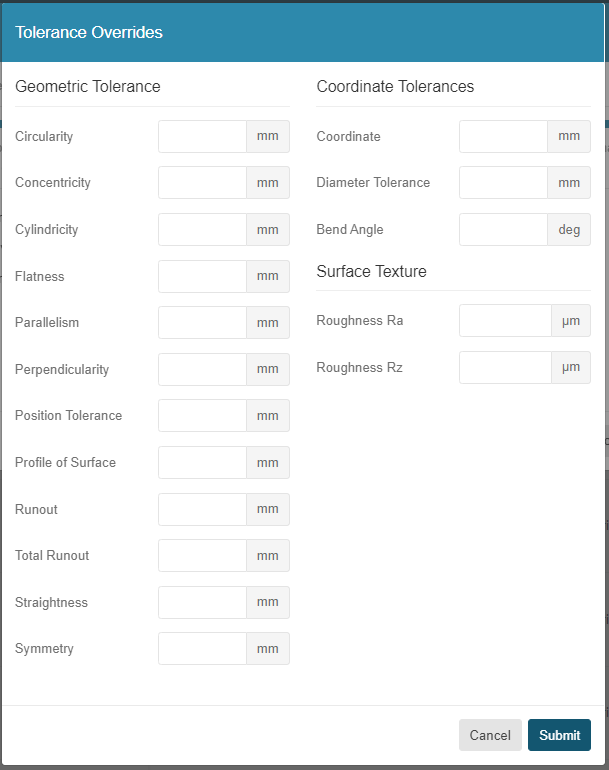
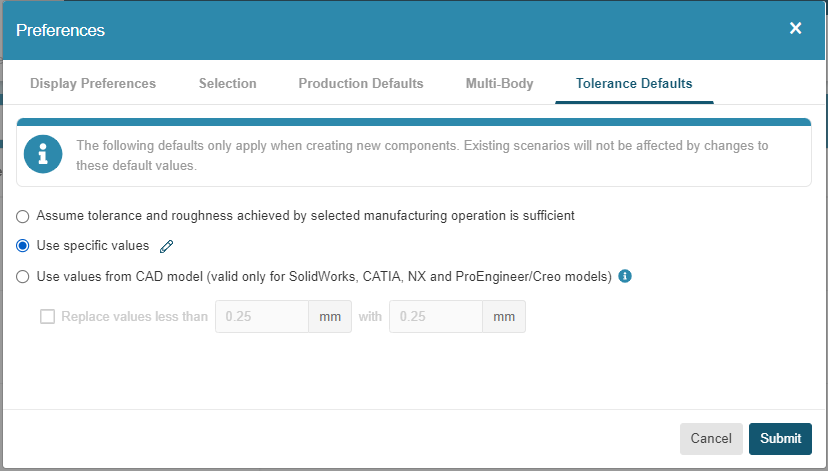
To open the Tolerance Override window, first, in the Cost Insight Design header bar, select the Preferences button, . Then, in the Preferences window, select the Tolerance Defaults tab. Finally, on the Tolerance Defaults tab, select the option to Use specific values.
NOTES:
- The units in the Tolerance Override window are inherited from the unit system that is specified for the System setting on the Display Preferences tab of the Cost Insight Design Preferences settings.
- The defaults apply only to new components that you create by uploading CAD files to Cost Insight Design. Existing scenario are not affected by changes to the default values.