Improved Design Guidance Usability and Message
Cost Insight Design (CID) Release Notes 2021 R1 SP1
Easily access data and information that helps you optimize your designs for manufacturability and cost
The DESIGN GUIDANCE summary tile is now the uppermost tile so you can easily see the data without scrolling or adjusting the size of your browser window. The Design Guidance panel now has a handle that allows you to customize the size of the panel.
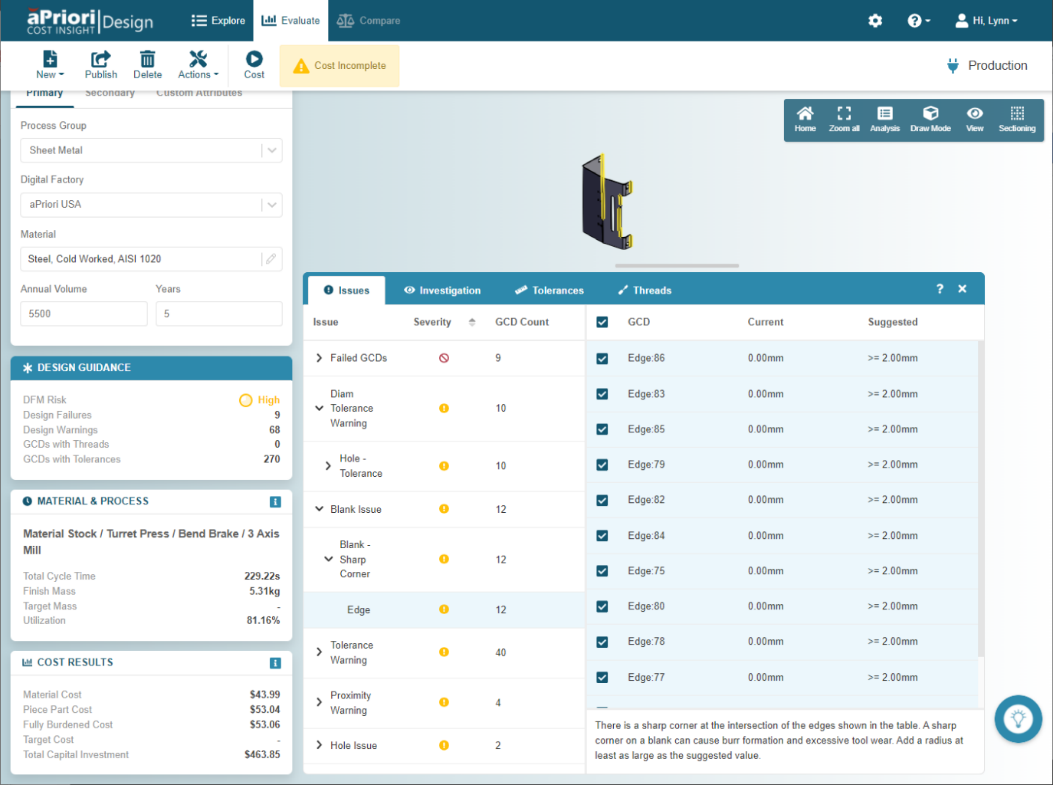
In the Design Guidance panel, messages have been updated to contain information that is more uniform, relevant, clear, and concise. The updated messages allow you to understand design issues so that you can optimize designs for manufacturability and cost more easily and quickly. Messages have also been relocated to the bottom of each tab so that they do not make it hard to parse data.
Each tab on the Design Guidance panel has been rearranged and reformatted for readability. Information, such as the GCD Count, is no longer hidden when you reduce the horizontal size of the panel. You can sort the information on each tab by using the column sort icons.
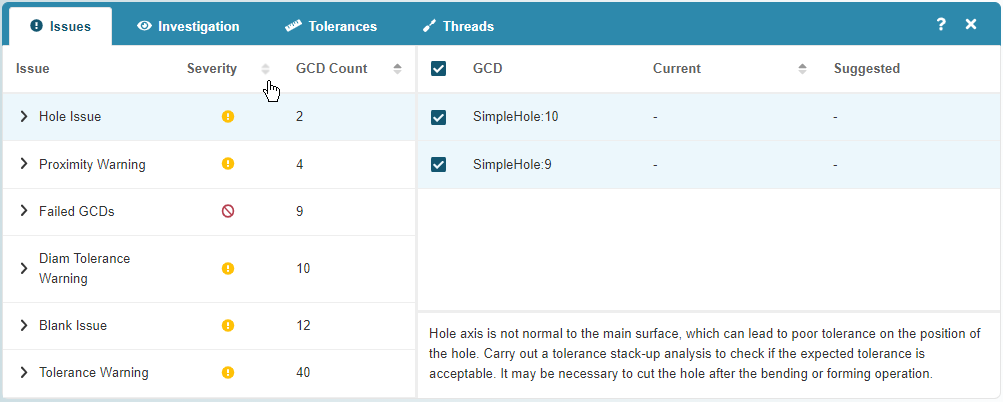
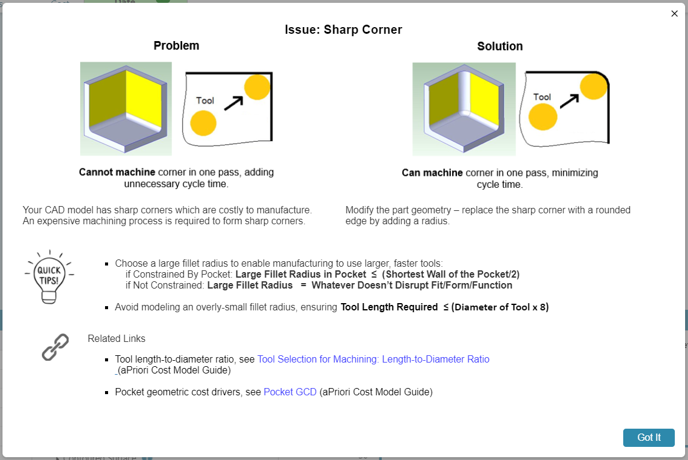
For clarity, the Guidance tab has been renamed as the Issues tab. The tab now includes relevant icons that indicate the severity of the DFM rating for each type of issue. If you select an information icon, , on the Issues tab, an information badge opens to provide additional information that can help you resolve the associated issue.
The new Thread tab allows you to identify holes that require but which have not been assigned threading specifications.
The Knowledge Hub Icon, , has also been relocated so as not to interfere with information in the Design Guidance, or any other detail panel. As required, you can move the icon by using drag and drop. The Knowledge hub provides additional help for resolving design issues.
Limitation
The Geometry tab is not available for Cost Insight Design 2021 R1 SP1.