Configuring E-mail Notifications
You can configure Scenario Synchronization to send out email notifications via an SMTP server whenever a job completes. This is a standard feature ("SMTPAppender") of the Apache log4j logging mechanism.
-
Navigate to the aServer configuration directory:
-
Open the following file in a text editor:
-
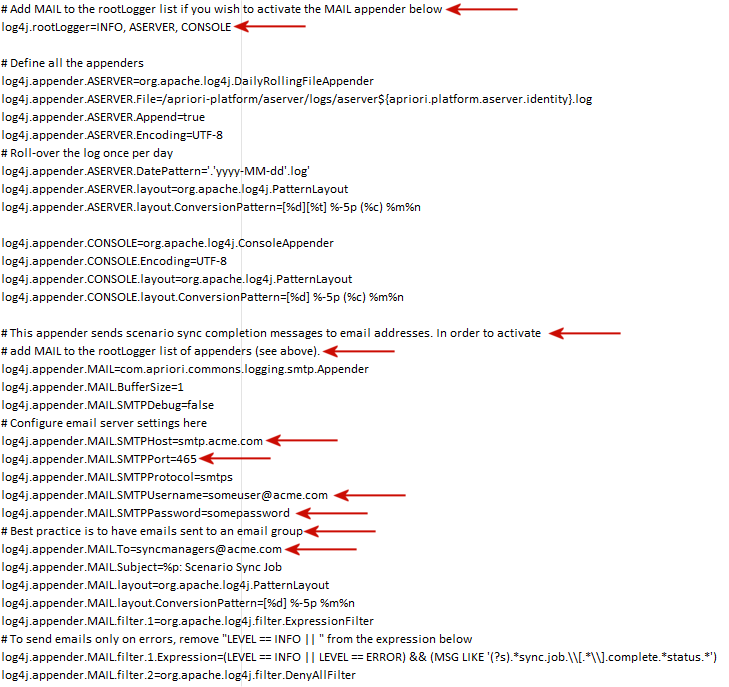
Near the top of the file, read the comments and modify the indicated lines.
-
Save your changes, then reboot the aPriori services.
When Scenario Synchronization jobs run, copies of the log messages will now be sent to the users specified by the changes above.