Scenario Sync View History tab
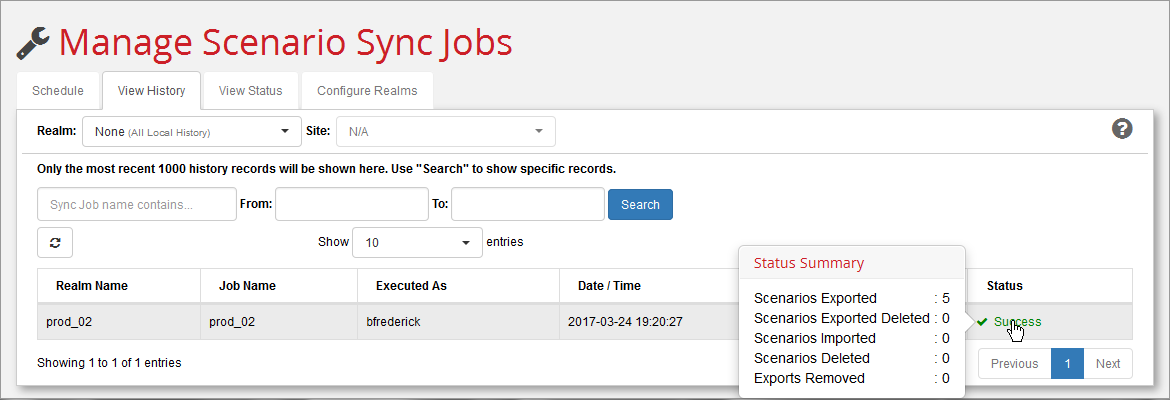
Use this tab to review the status of sync jobs that have run.
-
Use the Realm: and Site: pull-down menus to select which job results to display. Clicking All Local from the Realm menu displays only the jobs from the local site; therefore, the Site menu remains greyed. Choosing a specific realm from the Realm menu causes the Site menu to display a choice of sites that belong to that realm.
-
Further filter the display by using the calendar widgets in the From and To fields to narrow-down a time period. Enter a string in the Sync Job name contains field to display only those jobs that contain the exact same string. Control the number of jobs displayed with the Show n entries pull-down menu.
Note:
You can display additional information about status by hovering your cursor over entries in the Status: column. When there is a failure, you can also click the link in the status column to open a dialog with more detailed failure messages.
-
Use the Refresh button () to update the list of scheduled jobs.
Note:
Recently executed jobs do not appear here until you click the Refresh button.