aP Analytics User Guide
aP Analytics allows you to access and benefit from aP Pro data, based on components analyzed (costed) in aP Pro.
Reports Available
- Default ("out-of-box") reports, such as component cost and scenario comparison. See Use aP Analytics Default Reports.
- Custom reports using Ad Hoc views, which can be created by business users to visualize aPriori data. See Use aP Analytics Ad Hoc Reports
- Dashboards, containing both reports and ad hoc views. See Create Dashboards.
Exporting Data from aP Pro
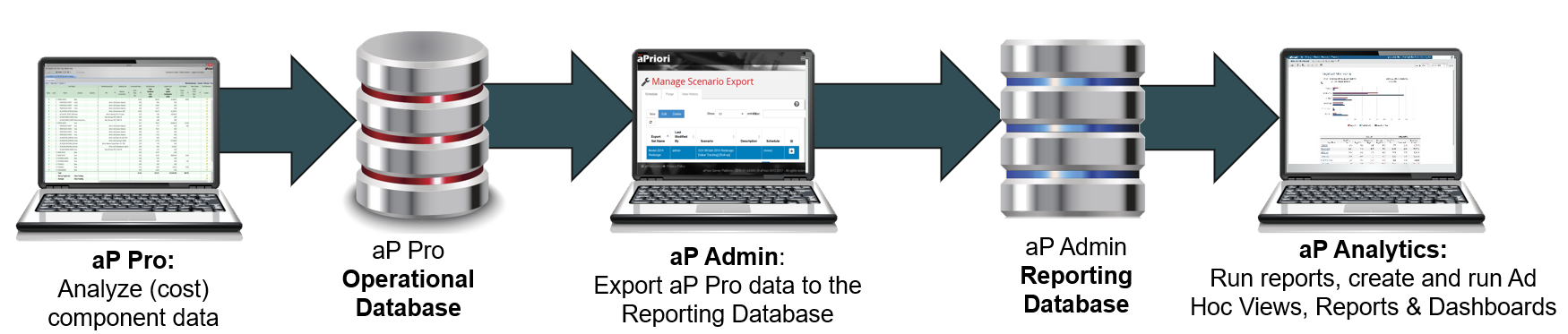
Before you can create or run any reports, you must use aP Admin to export required scenario data from the aP Pro Operational Database to the reporting database
Info
See aP Admin User Guide for details of this process.
Integration with Other Packages
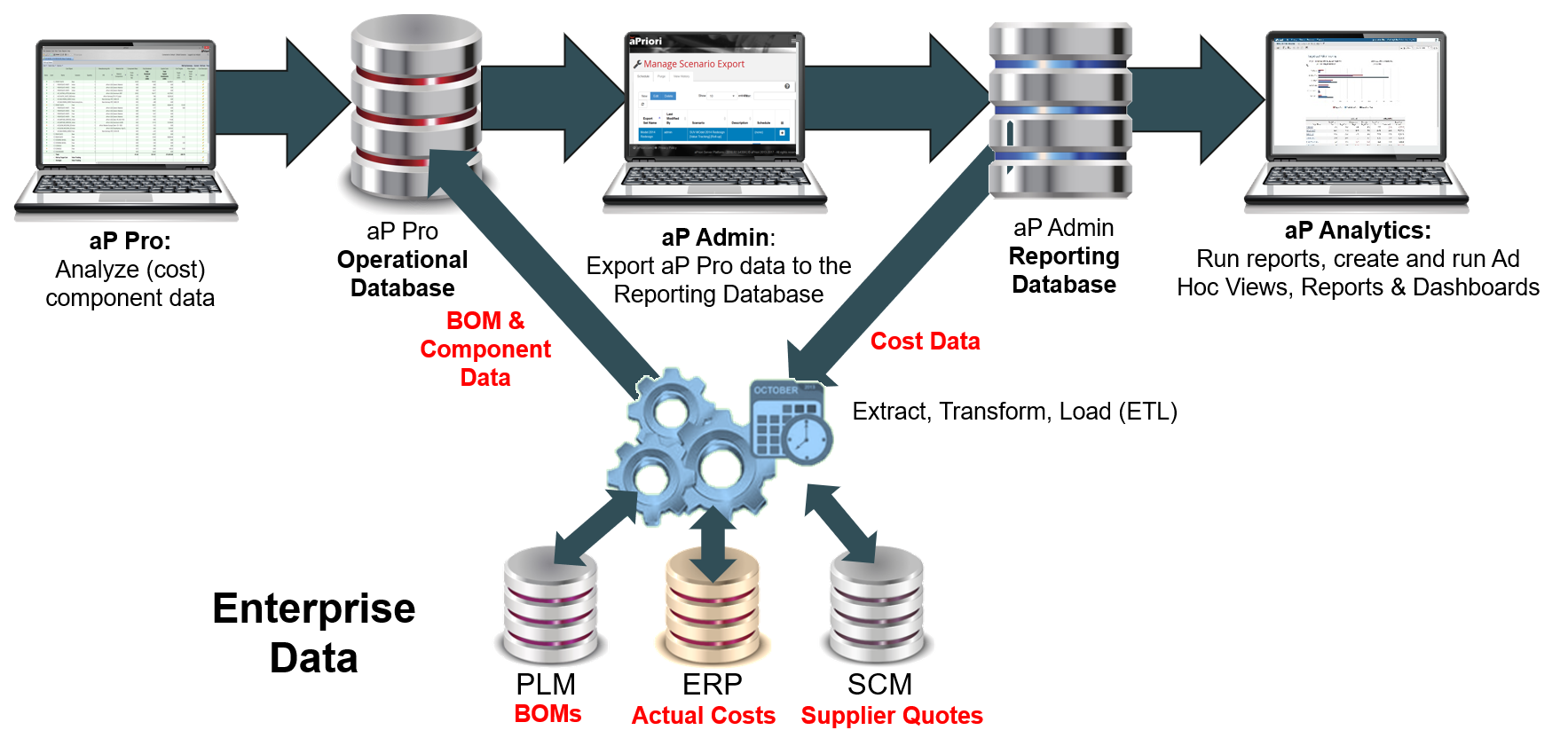
Also, when used with aP Admin User Guide to export data from the aPriori operational database to a reporting database, aP Analytics allows you to unlock the value of your aPriori costing data. You can use this data with other reporting packages and Business Intelligence (BI) products, and integrate with other enterprise software solutions:
Info
Contact aPriori Professional Services for more information.
Advanced Features
-
Configure Jaspersoft – Your aP Analytics administrators can define or modifydata sources and domains. For more information see Defining or Editing a Data Source (On-Premise Admins Only) and Defining or Editing a Domain (Admins Only).
Note:
To configure exports from your aP Pro operation database, see the aP Admin User Guide.
-
Author advance reports – Define custom reports for users at your site. For more information, see the Jaspersoft documentation and Advanced Topics.
More information
- See the Introduction to aP Analytics aP Academy training course for more details on aP Analytics features.
- See our Tutorials for real-world examples of using analytics reports in your business.