Avoiding Duplicate Entries
aPriori stores information about exported scenarios related to export events, including the export date.
Depending on frequency of exports and retention of previous data is kept, you may store multiple duplicate sets of information for specific scenarios. This helps track scenario changes, but can lead to confusion when creating Ad Hoc Views.
Example and Solution
Without any filtering, a simple Ad Hoc View of type crosstab , with Export Event Time stamp, and Fully Burden Cost looks like this:
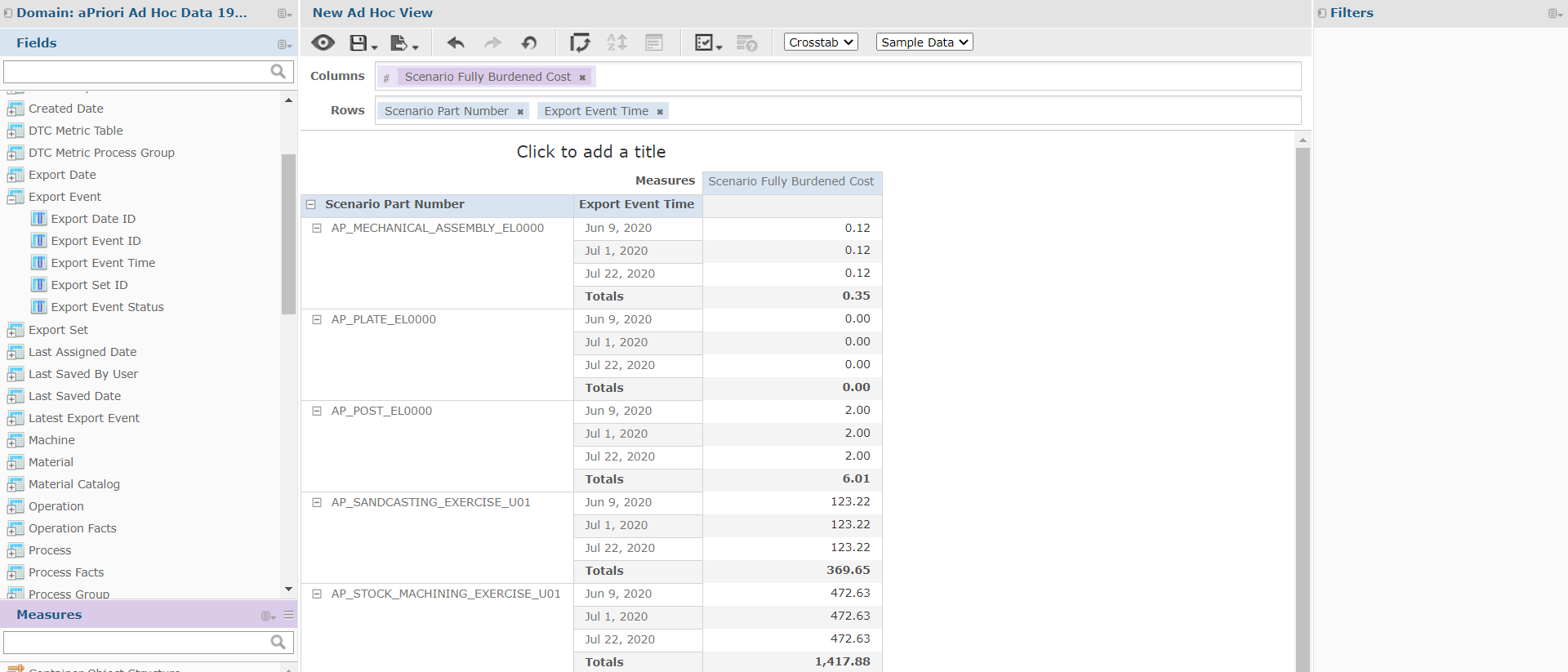
If you remove the Export Event Time field, the Fully Burden Cost appears as the Total value we see in the screenshot, here accounting for three scenario exports.
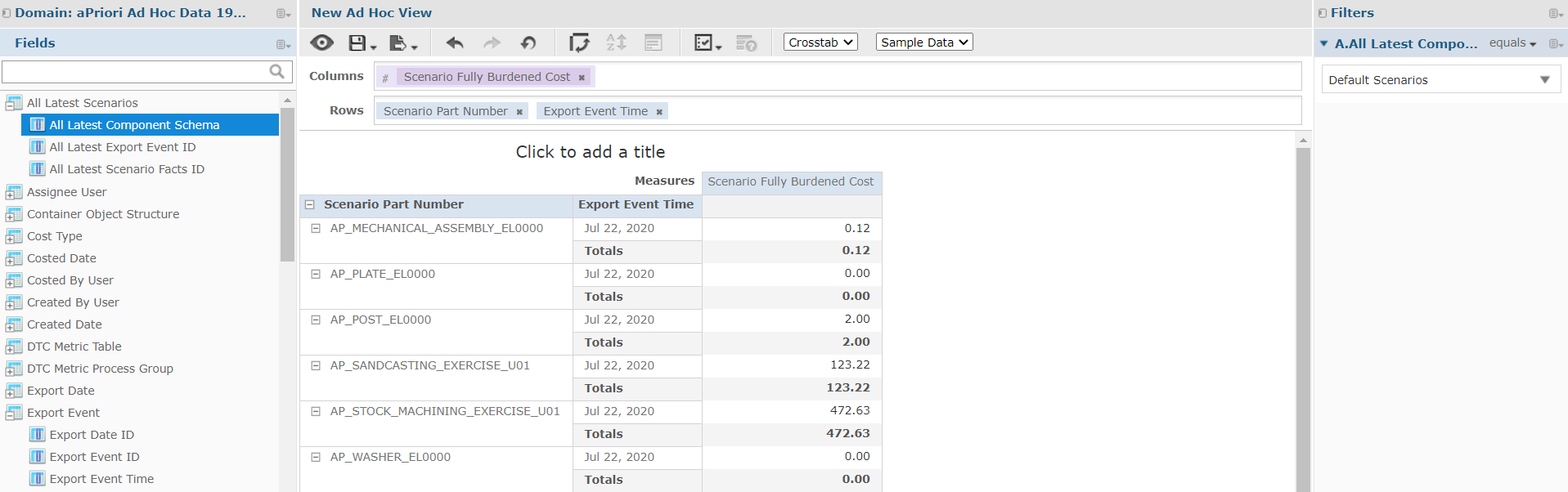
To avoid this duplication, and only account for the most recent data, add a filter for the All Latest Component Schema in the All Latest Scenario folder, by right-clicking on the field and select Create Filter.
Each scenario now picks up the value from the latest export:
Tip:
Additional filters can be applied, but the All Latest Component Schema filter should be the first in the list.