Tables Mapped to the aPriori Ad Hoc Data domain
You can examine the tables in aPriori Ad Hoc Data Domain from the Data Management tab in the Domain Designer.
To Open the Data Management tab
- Open the aPriori Ad Hoc Data Domain. For more information, see To Open the Domain Designer.
- In the Domain Designer menu bar, click Data Management.
 The Data Management tab opens.
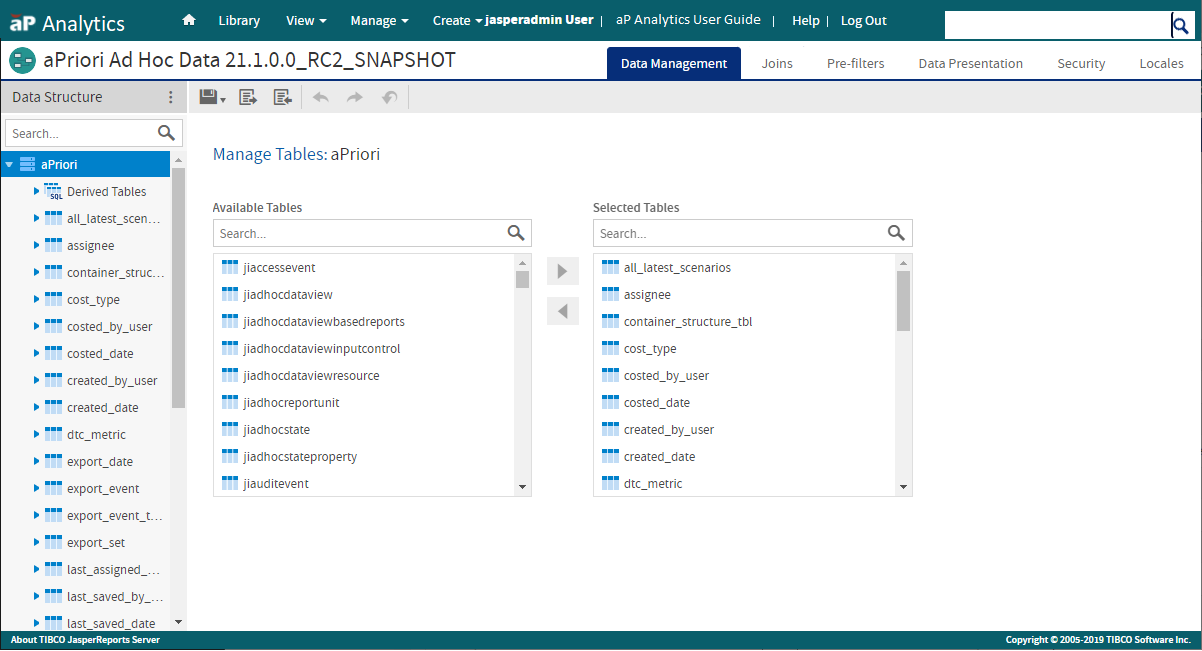
The Data Management tab contains the Data Structure panel and two lists:
- Available Tables – Tables that have not been mapped to display names in the associated domain
- Selected Tables – Tables that have been mapped to display names in the associated domain.
When you create or edit a Domain, if you move a table from the Available Tables list to the Selected Tables list, the table appears in the Data Structure panel. The panel also includes any derived tables that are in the Domain. For more information, see Derived Tables.
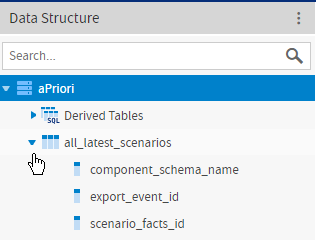
To see the fields for a table in the Data Structure panel, expand the node for that table. This figure shows the fields for the all_latest_scenarios table.
This table includes the tables in the aPriori Ad Hoc Data Domain that are mapped to display names for the Domain:
| Table Name | Display Name |
|---|---|
| all_latest_scenarios | All Latest Scenarios |
| assignee | Assignee User |
| container_structure_tbl | Container Object Structure |
| cost_type | Cost Type |
| costed_by_user | Costed By User |
| costed_date | Costed Date |
| created_by_user | Created By User |
| created_date | Created Date |
| dtc_metric | DTC Metric Table |
| export_date | Export Date |
| export_event | Export Event |
| export_event_to_scenario_facts | Not applicable |
| export_set | Export Set |
| last_assigned_date | Last Assigned Date |
| last_saved_by_user | Last Saved By User |
| last_saved_date | Last Saved Date |
| latest_export_event | Latest Export Event |
| machine | Machine |
| material | Material |
| material_catalog | Material Catalog |
| operation | Operation |
| operation_facts_base | Operation Facts |
| process | Process |
| process_facts_base | Process Facts |
| process_group | Process Group |
| process_vpe | Process Digital Factory |
| quote_reference | Quote Reference |
| scenario | Scenario |
| scenario_facts_base | Scenario Facts |
| user_to_scenario | Not applicable |
| vpe | Digital Factory |
NOTES:
- The export_event_to_scenario_facts table and the user_to_scenario are relationship tables in the aPriori Ad Hoc Data Domain. They do not map directly to display names for the Domain.
- The aPriori Ad Hoc Data Domain includes derived tables that map to the DTC Metric Process Group and DTC Metrics display names for the Domain. For more information, see Derived Tables.
For a list of the tables that are not mapped to display names in the aPriori Ad Hoc Domain, see Additional Database Tables.