Design To Cost Reports
Info
See the Design Tutorials for specific examples of using Design to Cost Reports.
Cycle Time Reports
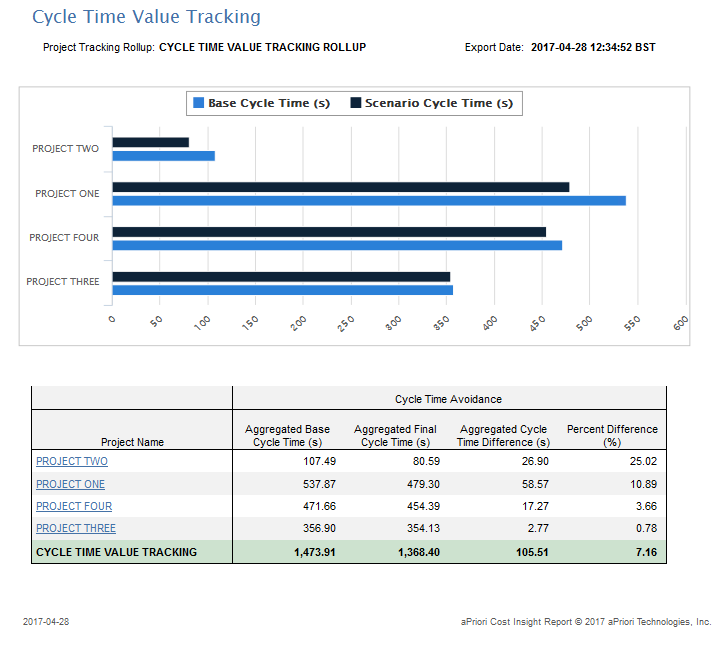
Cycle Time Value Tracking
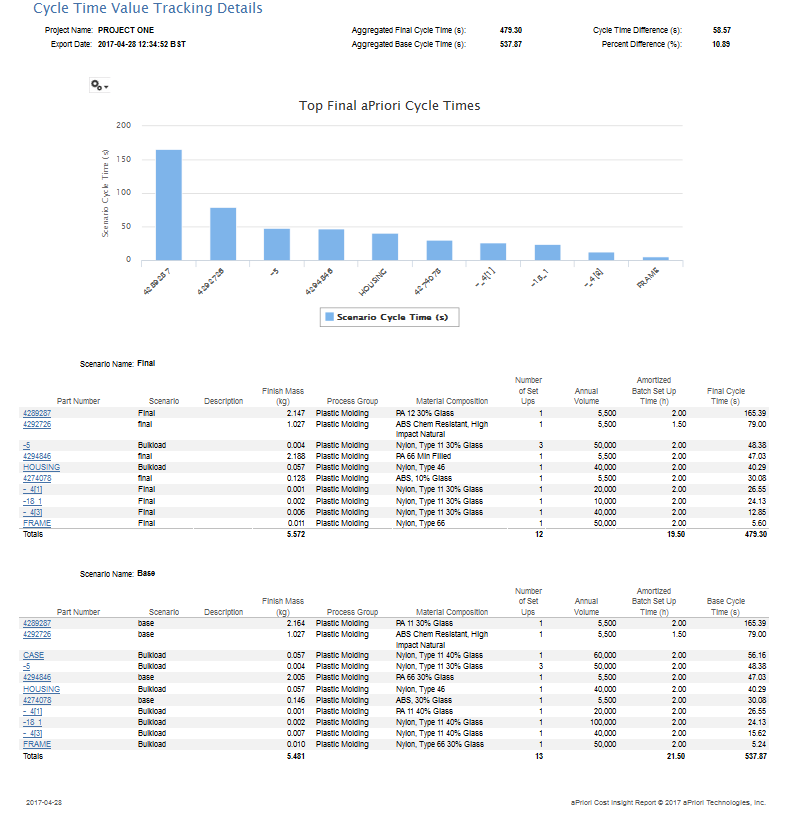
Cycle Time Value Tracking Details
Potential Savings Reports
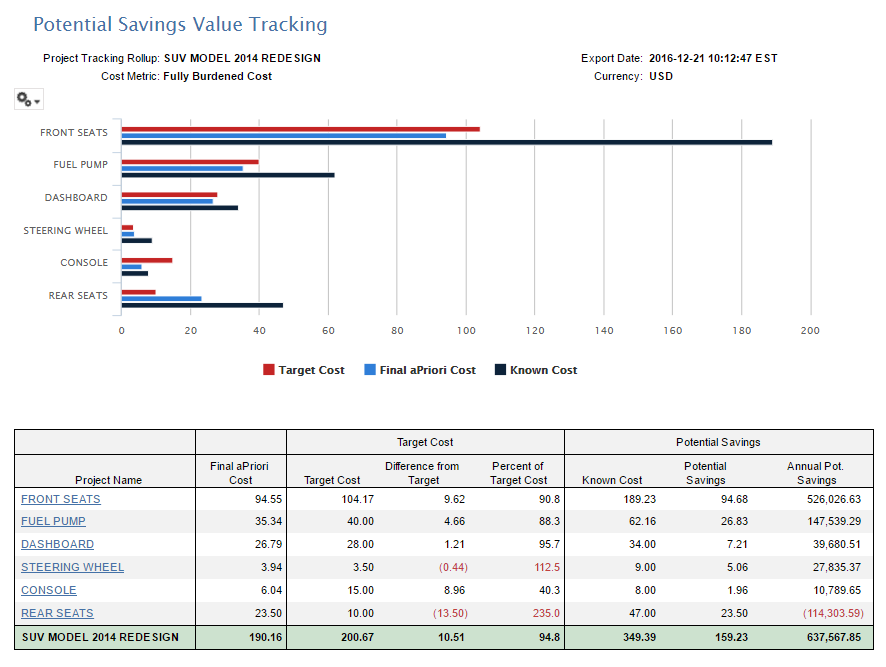
Potential Savings Value Tracking
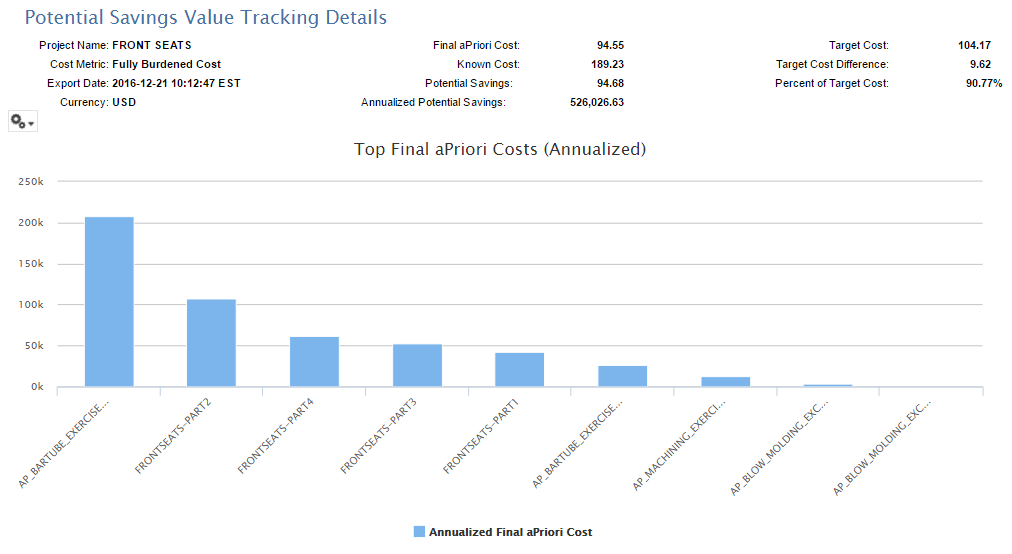
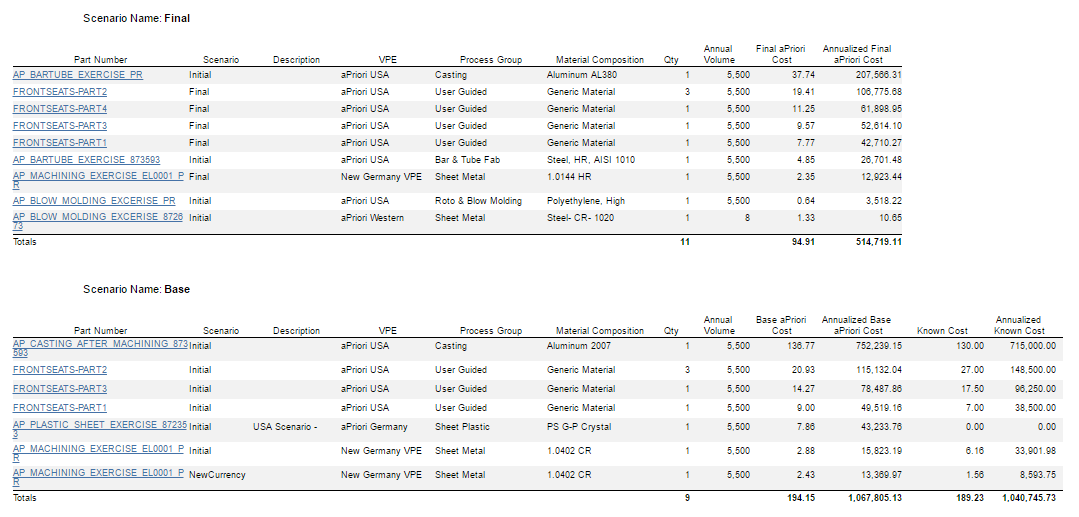
Potential Savings Value Tracking Details
Target Cost Reports and Target and Quoted Cost Reports
Target Cost reports are intended for Project Manager and Leaders to manage design cost analysis (DCA) value tracking metrics across project milestones or iterations. There are two use cases that are supported:
- Target Cost for design engineering
- Target and Quoted Cost for design engineering and sourcing
Each used case includes three reports:
- Organizational level “Value Tracking” report that shows the current status of the projects within that organization
- A project-specific “Trend” report that shows key metrics at defined milestones within a specified time interval
- A project-specific “Detail” report that show detailed metrics from the project start to a specified milestone.
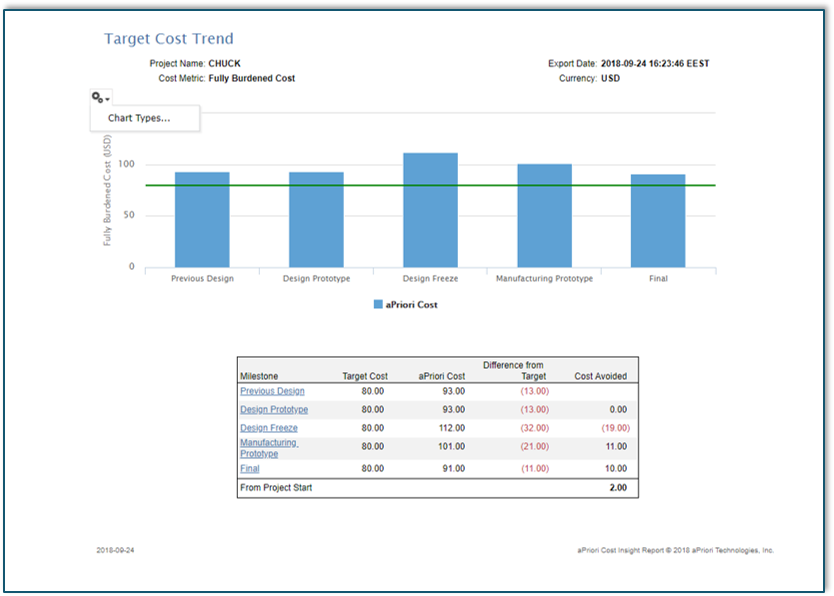
These reports use the same organizational level rollup that was defined for the original Target Cost Value Tracking report. Each project contained in the organizational rollup originally had two rollups defined per project (a base rollup and a final rollup). For the new trend reports, there are additional rollups defined that have the same part_number but different scenario names (different from Base and Final). These rollups hold the project's contents (scenarios) for the trending report period. The scenario name can be anything except Base and Final – we recommend that it should be something related to the milestone. In addition, the description field in each milestone rollup must have the following structure: MilestoneName::FreeText. The milestone name is used as a label for the milestone (displayed as a point on the X-axis in the report). The created_date field is used to sort the rollups.
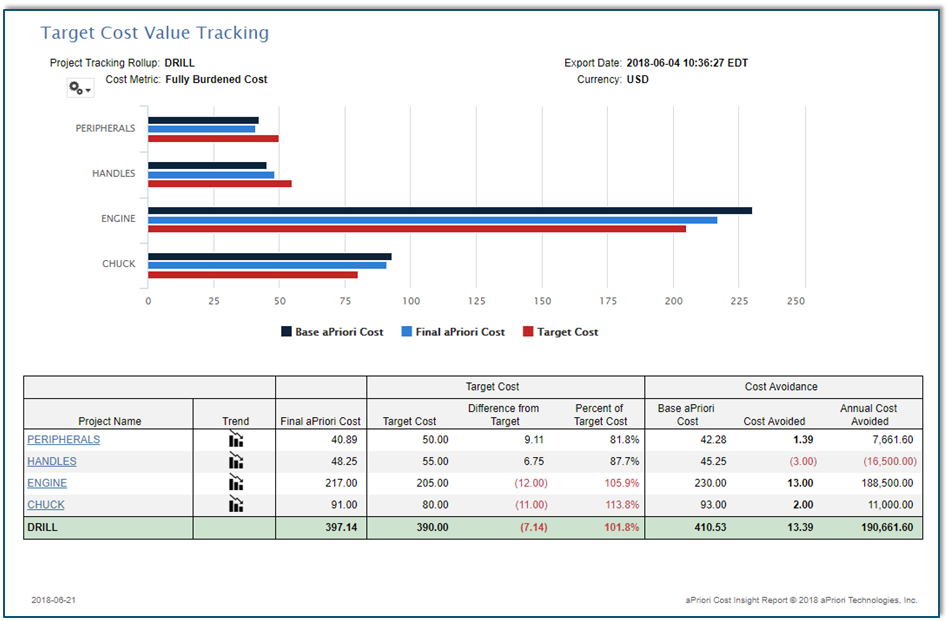
Target Cost Value Tracking
This report uses an organizational-level rollup with the following structure: the top-level roll-up must have two rollups defined per project (a base rollup and a final rollup).
Target Cost Trend
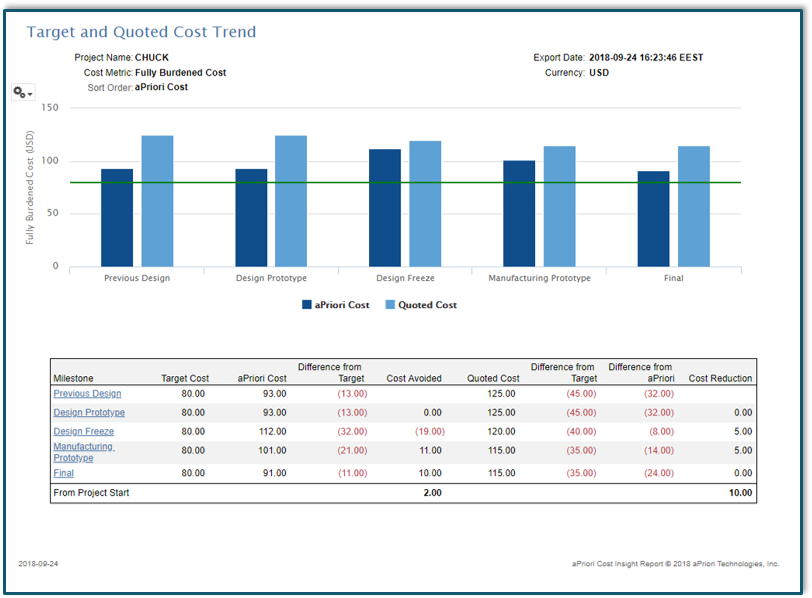
The Target Cost Trend Report displays one project at a time and show metrics at defined milestone periods. The Trend Report can be invoked on its own or it can be invoked from the Target Cost Value Tracking report via hyper-links.
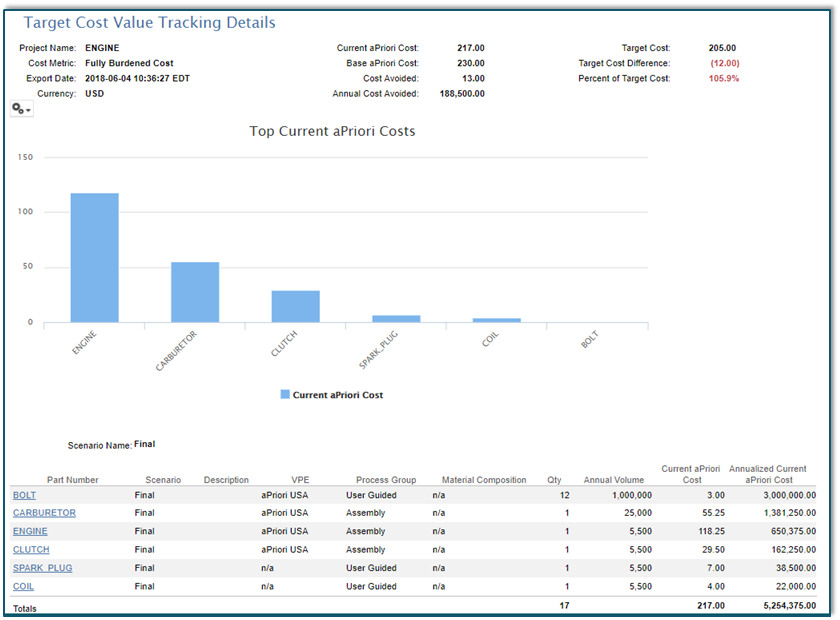
Target Cost Value Tracking Details
The Target Cost Value Tracking Details report can still be invoked from the Target Cost Value Tracking report. When this report is invoked from the parent Value Tracking report, the metrics are computed from the base and final rollups.
When this report is invoked from the new Target Cost Trend report (using the hyper-links in the rollup names that appear in the table for each milestone), the report shows metrics that are computed from the base rollup and the milestone that was selected.
Target and Quoted Cost Value Tracking
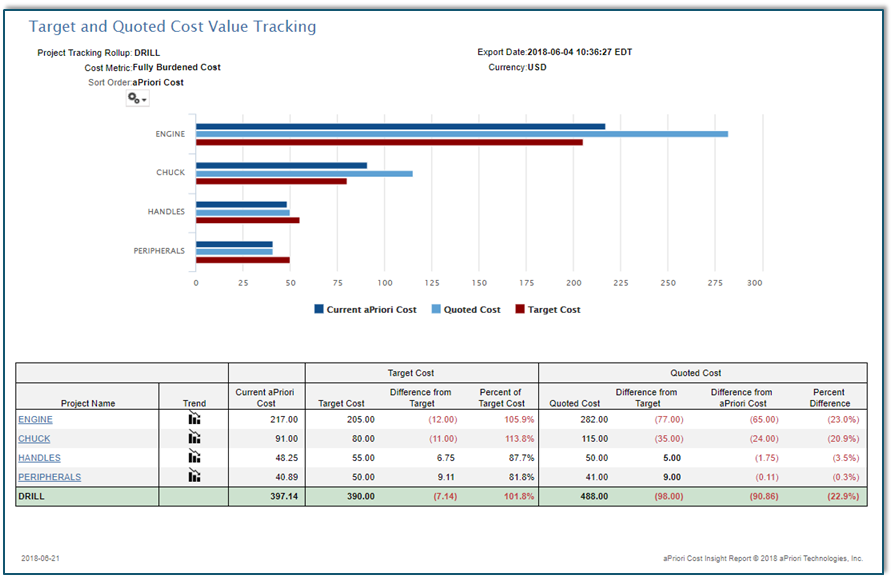
For the combined design engineering and sourcing use case the value tracking metrics include quoted costs that have been generated by the sourcing team. The reports compare quoted costs with target cost along with a comparison of engineering should costs with quoted costs from suppliers.
These three reports work the same way as the three engineering design use case reports.
Target and Quoted Cost Trend
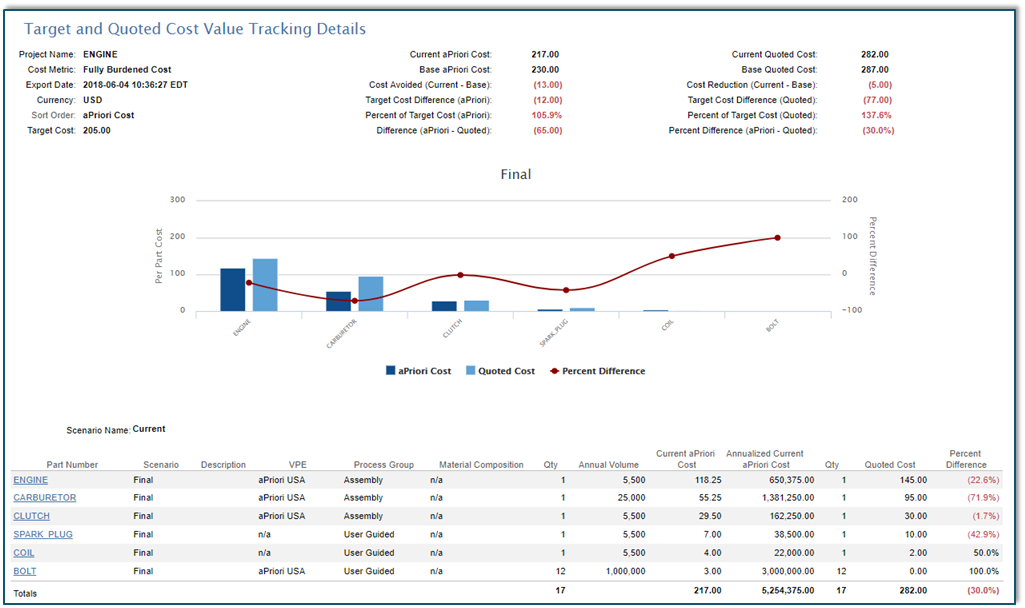
Target and Quoted Cost Value Tracking Details