Defining or Editing a Data Source (On-Premise Admins Only)
(This section does not apply to aPriori Cloud environments, which handles this configuration for you.)
A data source is a resource in the repository that defines how and where to obtain the data displayed by reports or views.
aPriori aP Analytics comes with two predefined data sources:
- aPriori Operational DB
- aPriori Reporting DB
In On-Premise installations, these data sources may work out-of-box if you have installed an evaluation copy of aP Analytics on a single machine, using the default values provided in the Installation Wizard (see the aPriori Enterprise Platform Installation Guide). However, any more complex installations with different values will require that you reflect those different values in the data sources before you can use JasperReports with your aP Analytics export(s).
View or edit an existing data source
You can view or edit an existing data source using the following procedure:
- Make sure that you are logged in as an administrator.
-
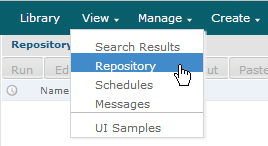
From the JasperReports® Server toolbar, click View, then select Repository.
-
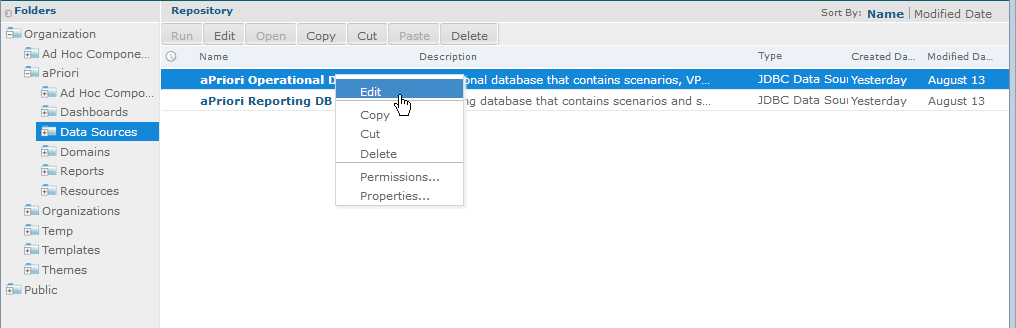
In the navigation pane, expand Organization > aPriori > Data Sources. To view one of the predefined data sources, right-click aPriori Operational DB and select Edit.
-
Adjust the values in the resulting Edit Data Source dialog as necessary:
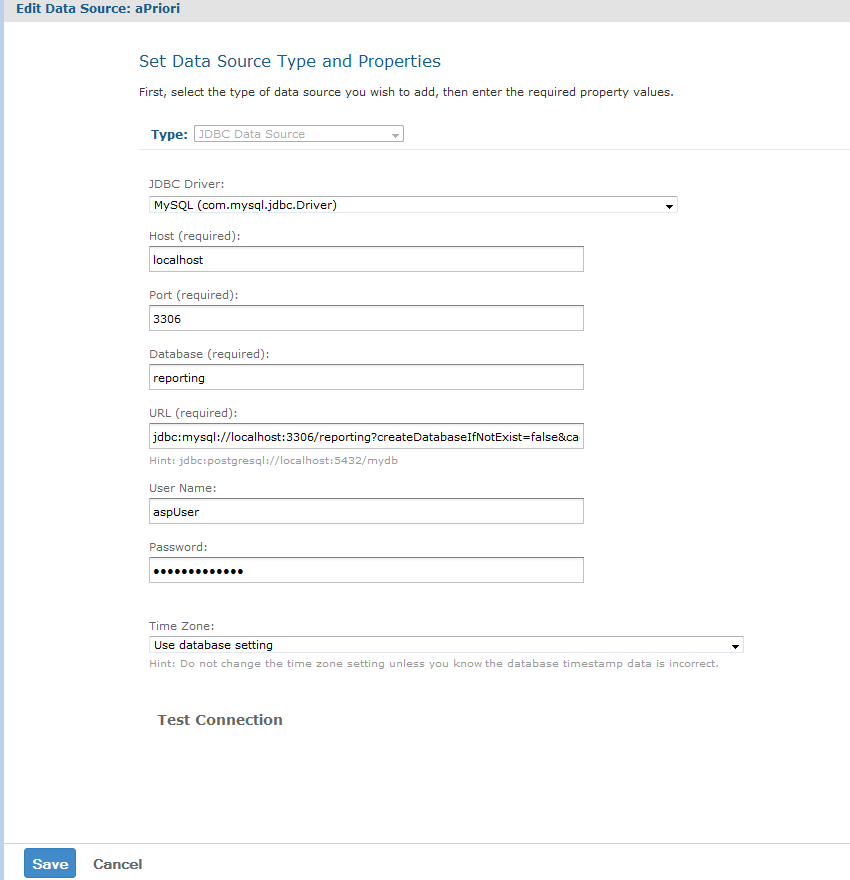 The most likely candidates for adjustment are the Host and Port fields. Note that the URL field automatically updates to reflect changes to these fields.
 -
When done, to validate your edits click Test Connection. When the connection test passes, click Save.
To define a new data source
If the predefined databases are not sufficient for your needs, you can define your own data source. Refer to the Jaspersoft documentation at http://help.jaspersoft.com/