Important change if your site enables Oracle NNE
If your site enables Oracle Native Network Encryption (NNE) on the aPriori Reporting database, the default Tibco Oracle driver cannot run Out Of Box (OOB) Reports or Ad Hoc Reports that access that database.
Use the following procedure to switch drivers.
To switch drivers
- Make sure that you are logged in as an administrator.
-
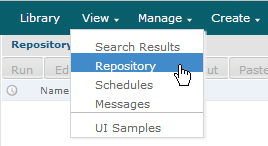
From the JasperReports® Server toolbar, click View, then select Repository.
-
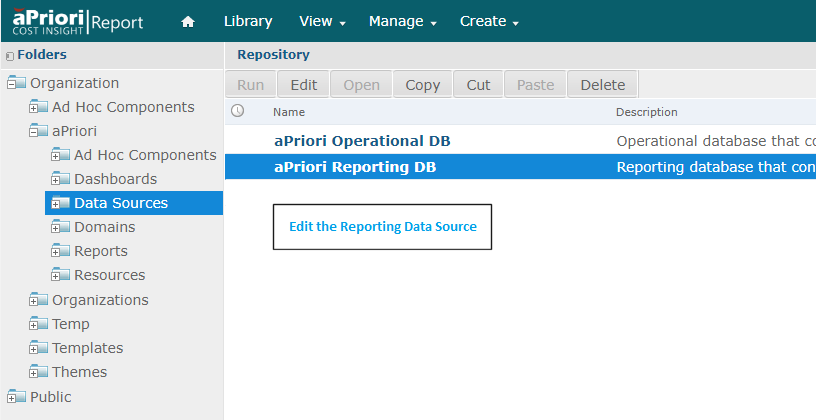
In the navigation pane, expand Organization > aPriori > Data Sources. To view the aPriori Reporting database, right-click aPriori Reporting DB and select Edit.
-
The default value of the JDBC Driver: field is:
Oracle (tibcosoftware.jdbc.oracle.OracleDriver)Click the field and select the following value from the drop-down menu:
Oracle (oracle.jdbc.OracleDriver)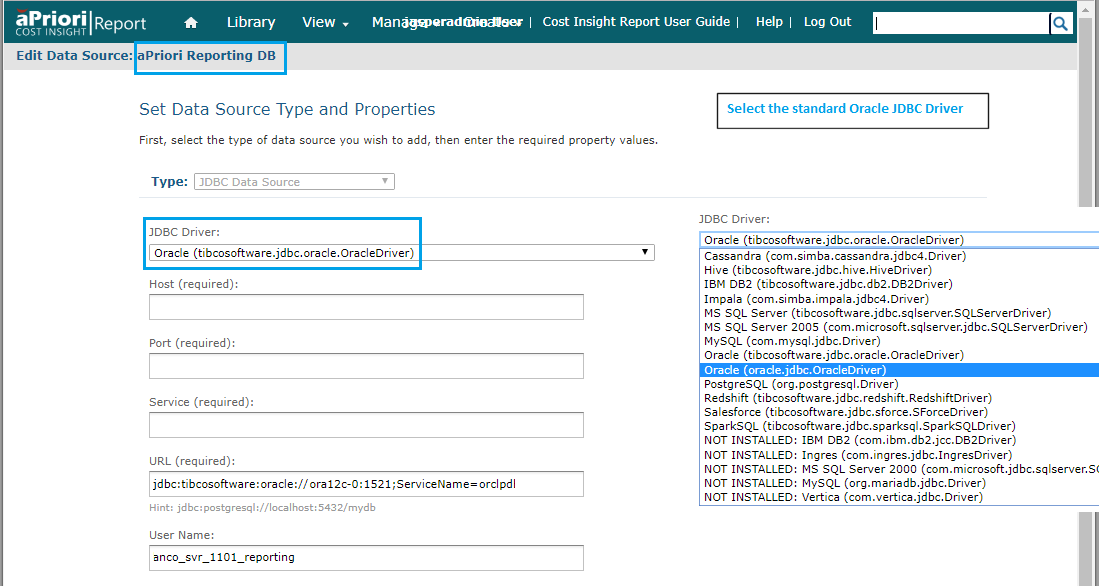
-
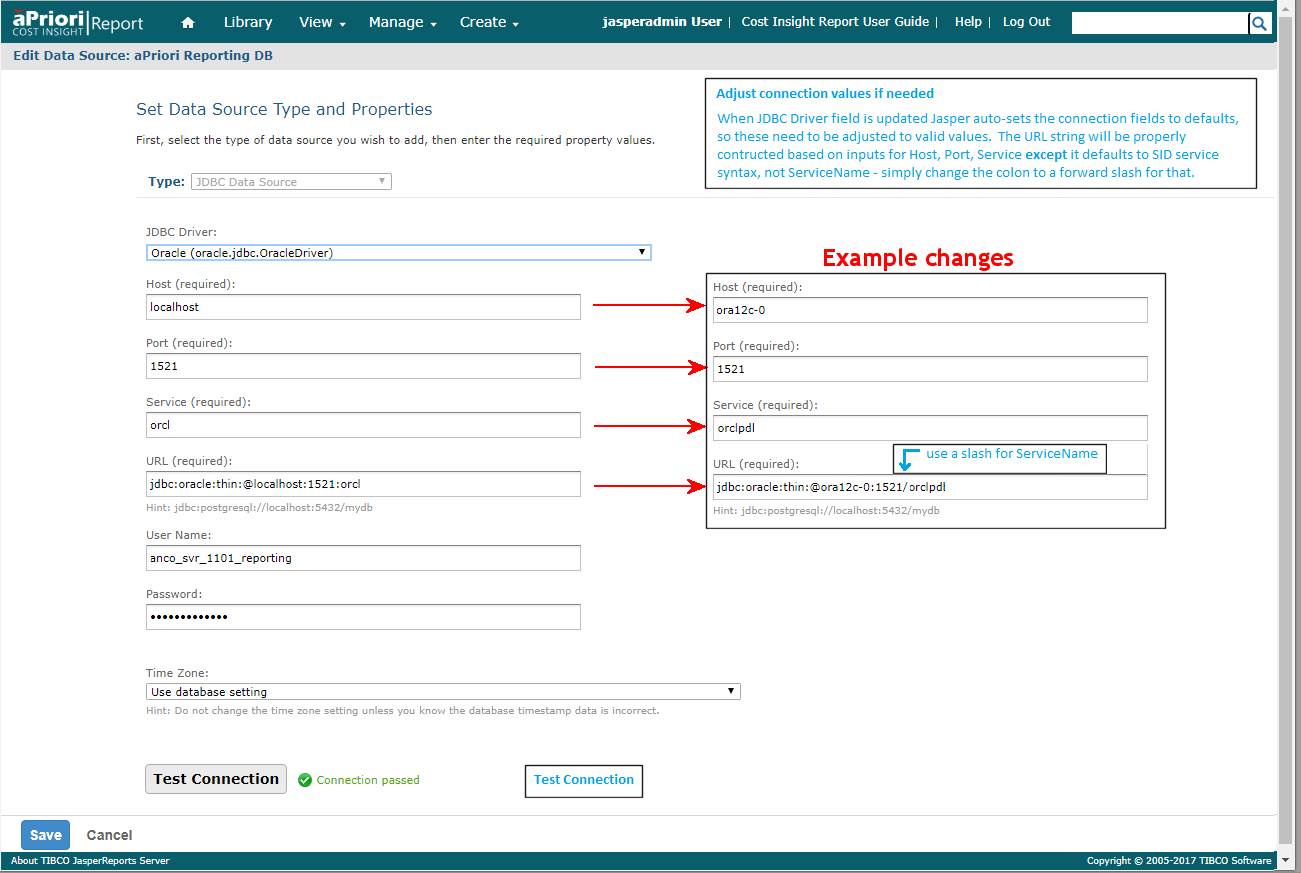
When you update the JDBC Driver: field, Jasper automatically sets connection fields to default values. Adjust these as necessary. The URL field updates as you do this, but you change the colon to a forward slash if you need ServiceName (not SID) syntax.
-
When done, use the Test Connection button to validate your changes, then Save.