Add or Modify Materials Using a Spreadsheet
- Expand the process group to which you want to add materials.
-
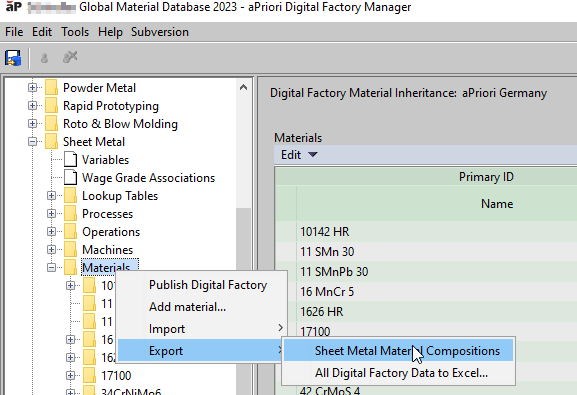
Right click Materials and select Export > process-group-name Material Compositions.
-
Save the exported CSV file locally.
-
Open the exported file in Excel, update it as necessary, and save it.
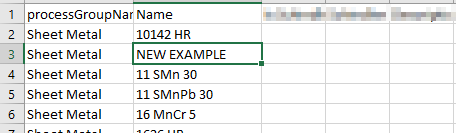
See Add or Modify a Material for explanations of the various material fields.
-
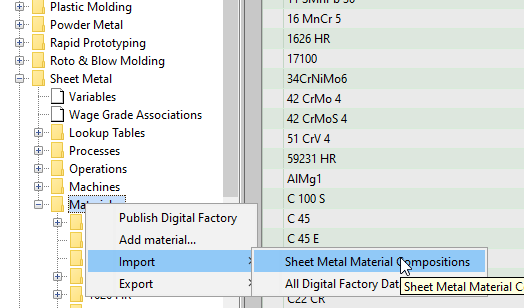
In the Digital Factory Manager, right click Materials in the relevant process group and select Import <process-group-name> Material Compositions.
-
Navigate to the updated CSV file, and click Open.
Ensure that Comma is the Export Delimiter
In some locations Excel might be configured to use a symbol other than a comma as it's delimiter. Therefore each row of the exported data, rather than being arranged into columns, might consist of a single line of text in column A:
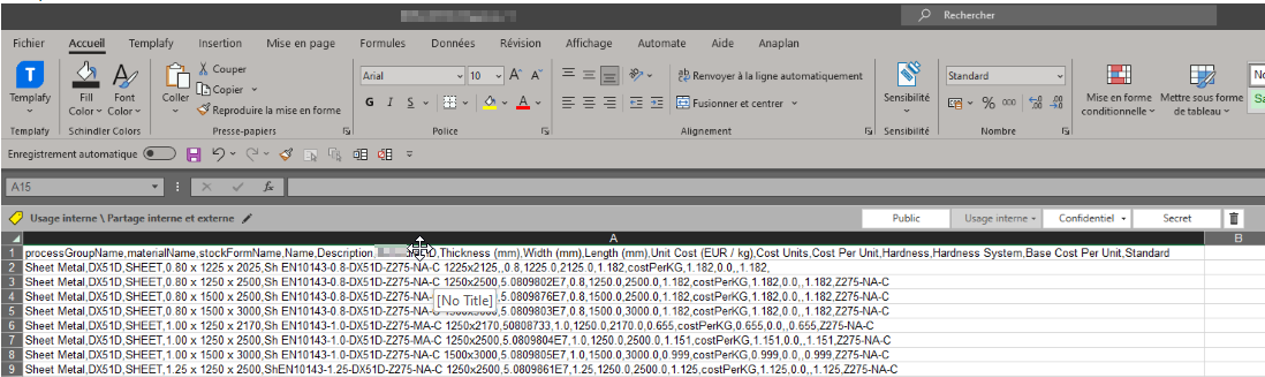
To correct this in Excel:
-
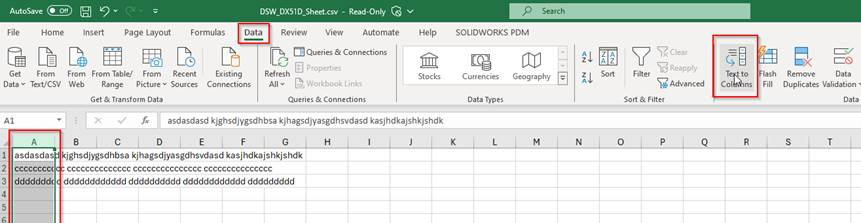
Select column A.
-
From the Data menu, select Text to Columns.
-
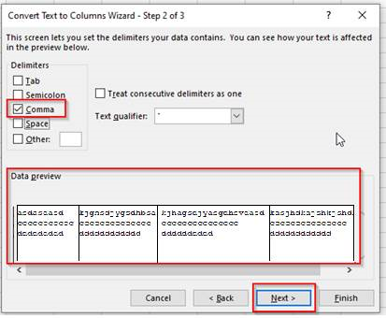
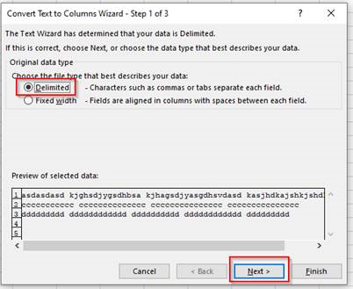
Ensure Delimited is selected and click Next.
-
Select Comma as the delimiter.
-
Click Next and Finish.