Hide Components of an Assembly
You can hide a component, remove it from display. This may be useful, to more easily view components that are assembled behind that component.
Note:
Hidden components are still included in cost calculations. To hide a component and also remove it from cost calculations, use the Ignore function - see Ignore Components of an Assembly.
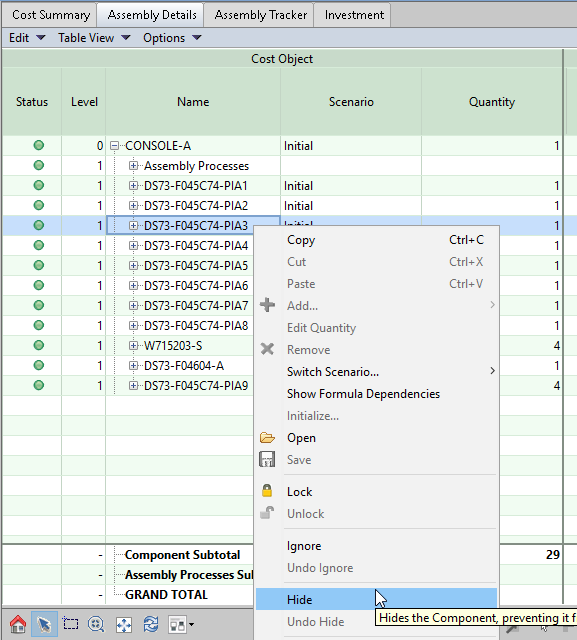
To hide a component, right click on the part in the assembly tree, then right click and select Hide:
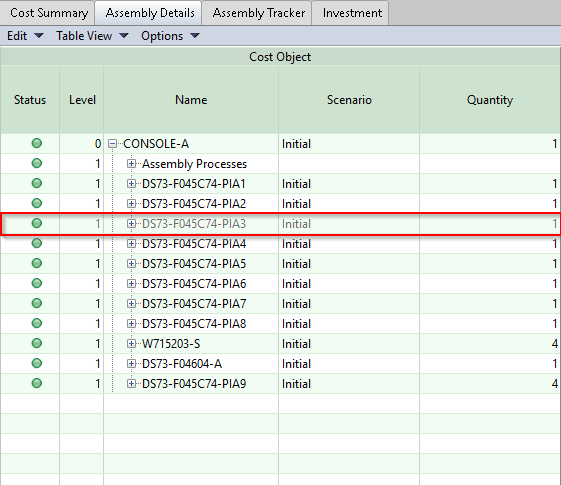
When a component is hidden, it is removed from the display and its row in Assembly Details is greyed-out:
Tip:
Use the Undo Hide command beneath Hide to add a hidden component back into the display.