Configuring a favorites section
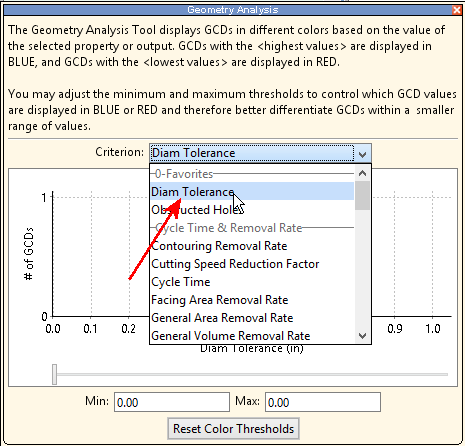
Make commonly used metrics easily accessible by adding a “favorites” grouping spec to the metric. For example, you want to highlight diameter tolerances. An aPriori administrator could make an additional edit to configHeatMap.xml to ensure that “Diam Tolerance” appears at the very top of the pull-down list, in the Favorites section:
-
Open
configHeatMap.xmlin an editor and scroll down to the “diamTolerance” section: -
Add a “favorites” grouping spec line underneath the existing “gtol” line:
-
Save the file When you finish, then restart aPriori . The favorites section of the Criterion menu should now prominently display the “Diam Tolerance” metric.