Editing user settings
When you create deployments, you must assign rights to users to access these deployments. Do this through the Users tab in the System Admin Toolset window. (See Managing users for general information about this tab.)
Edit user settings for deployments
- From the aPriori client, click Tools > System Admin Toolset.
-
When the aPriori System Admin Toolset window opens, click the System Administrator button.
In the resulting aPriori System Administrator window click Users in the left column.
-
Select the user in the right pane. (You can select multiple users by holding down the Ctrl key as you click user names.)
-
Click the Edit User button to display the Edit User dialog box.
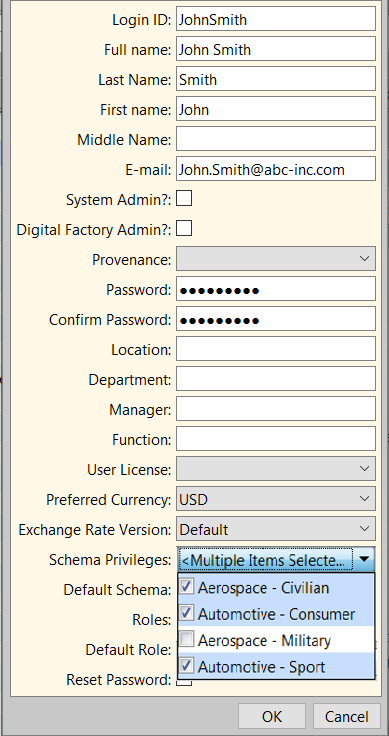
-
Note the following drop-down menus toward the bottom of the dialog:
-
Schema Privileges
-
default Schema
-