Create permission to access System Admin Toolset
This example shows how to create a permission that:
- You can later associate to any groups
- Allow all members of the associated group to use all the tools in the System Administrator Toolset.
Create permission to access System Admin Toolset
-
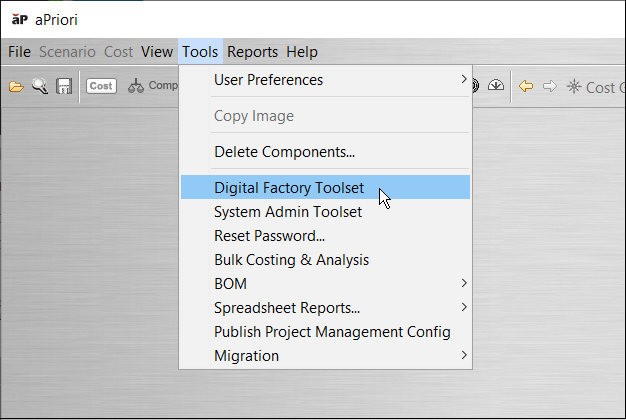
Open the System Admin Toolset. From the aP Pro menu bar, select Tools > System Admin Toolset.
-
Open the System Administrator. In the System Admin Toolset window, click the System Administrator,
 , button.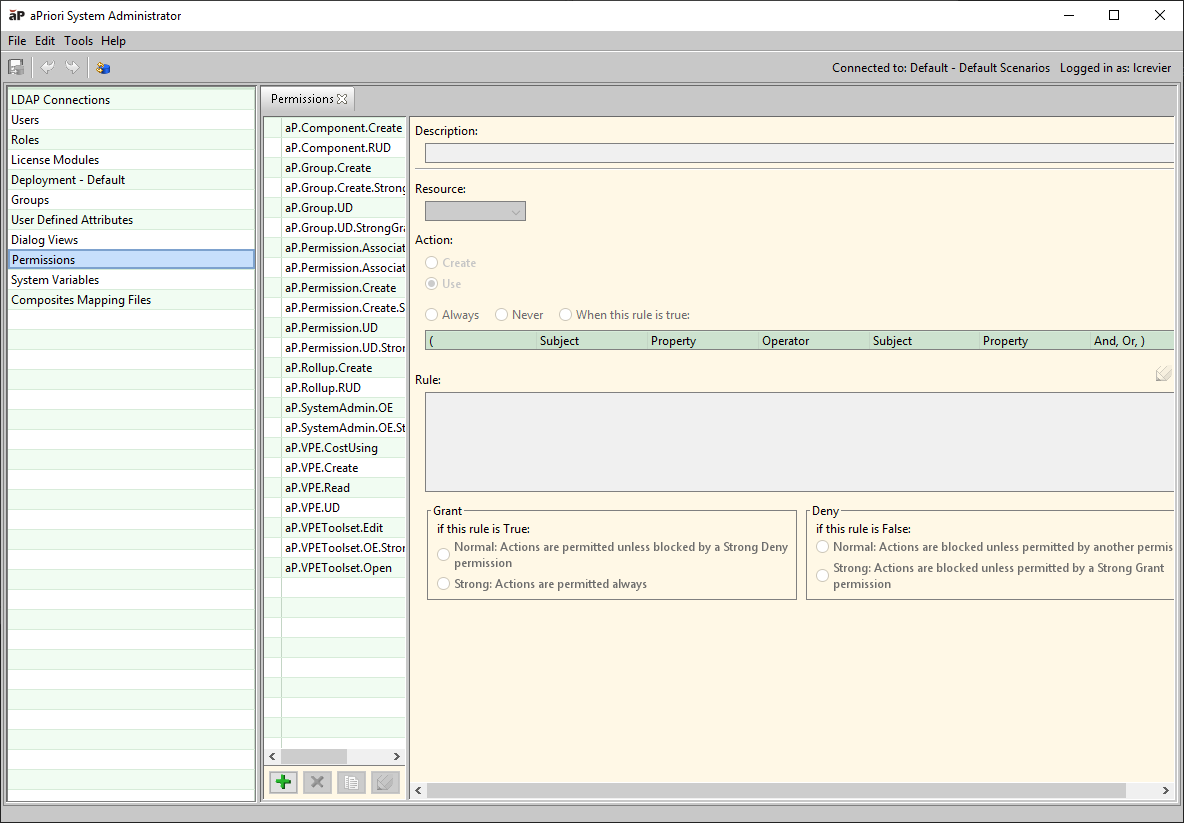
-
Open the Permissions tab. In the System Administrator window, click Permissions.
-
In the Permissions tab, create and configure the new permission:
-
Under the permissions list, select the add,
 , button.
 -
In the Input tab, for Permission Name enter the name of the new permission. As a best practice, follow this naming convention YC.SystemAdmin.Grant, where YC represents the name of your company and then click OK.
Note:
Permission names that start with aP are aPriori defined permissions.
-
In the Permissions tab, for:
-
Description Enter
Grant access to all System Admin Toolset features. -
Resource From the drop-down menu, select Digital Factory Toolset.
-
Action Select Use, Open, Edit, and Always.
-
For this configuration, the generated rule is true.
-
Grant: Select Normal: Actions are permitted unless blocked by a Strong Deny permission.
-
Deny: Select Normal: Actions are blocked unless permitted by another permission.
-
-
-
To save your changes, click the Publish,
 , button.
You can now apply the permission to all members of a group by associating the group to the permission. For an example that show you how to apply the permission, see Associate a permission to a group