Cost Status Icons
Cost status icons appear in in windows throughout aPriori such as the Messages window, the Assembly Details tab, the Part Details tab, and the Manufacturing Process window, to show the costing status of components:
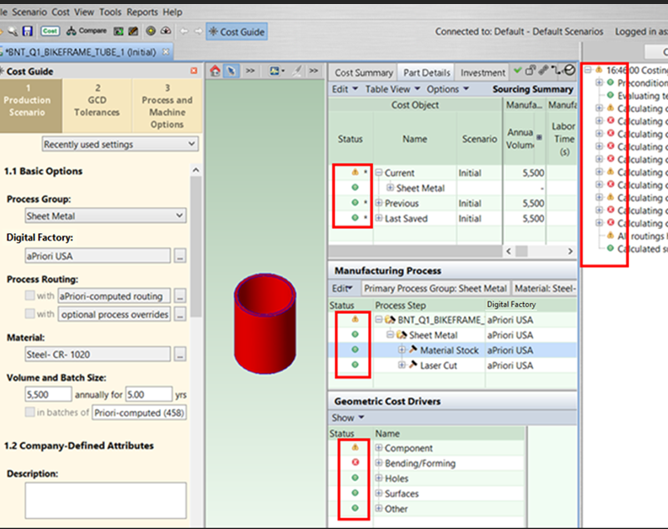
Where:
| Icon | Usage |
|---|---|
 |
Green: aPriori has successfully costed the component. |
 |
Yellow: aPriori has successfully costed the component, but with one or more warnings. Typically, that means the requested operation could not be used in costing, but costing succeeded with an alternative operation. |
 |
Red: aPriori was not able to cost the component, and no alternative operations were successfully implemented. |
 |
Gray: Component costed. |
 |
Asterisk added to one of the icons: Indicates that the component has unsaved changes. To save the changes, right-click the component and select Save. |