Determining if a Digital Factory is an overlay
Unless you use a special naming convention, it may not be immediately obvious whether or not a Digital Factory is an overlay. Use this procedure to check, and to identify what Digital Factories it inherits from.
- If the Digital Factory is not already open, click File > Open Digital Factory from the aPriori Digital Factory Toolset and then select the Digital Factory from the Select Digital Factory window. Click Open.
-
In the resulting aPriori Digital Factory Manager window, click the top-level entry in the left pane, and then examine the entries in the right pane.
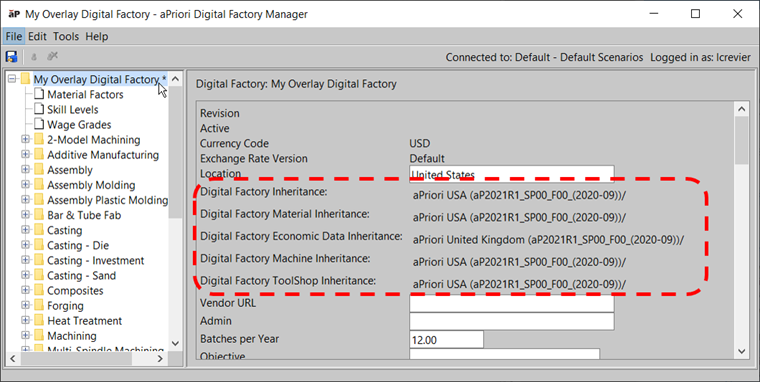
Figure: Overlay Digital Factory
If the Digital Factory is an overlay, you will see an inheritance path for the following lines:
- Digital Factory Inheritance
- Digital Factory Material Inheritance
- Digital Economic Data Inheritance
- Digital Factory Machine Inheritance
- Digital Factory Tool Shop Inheritance
Note:
Regional Data Libraries (RDLs) will display “**Unavailable** in the Digital Factory Inheritance fields.
Note:
Standalone Digital Factories will display “N/A” in the Digital Factory Inheritance fields.
Important:
If any of these entries have Update to Latest buttons, you must update these - see Update Overlay Inheritance
Pushing plant variables to descendants
You can propagate updates to top level Digital Factory plant variables to all overlay Digital Factories that inherit machine data from a specific Digital Factory. This is useful for Digital Factory managers who utilize Overlay Digital Factories within their deployment. For example, if your tool crib labor rate has increased, and your deployment has many Digital Factories which inherit their machine data from a single “template” Digital Factory, that update can be made in the “template” Digital Factory and this feature can be used to push the updated value down to all of the Digital Factories that inherit machine data from the “template” Digital Factory.
-
From the Digital Factory Toolset toolbar, click Tools > Push Plant Variables to Dependents.
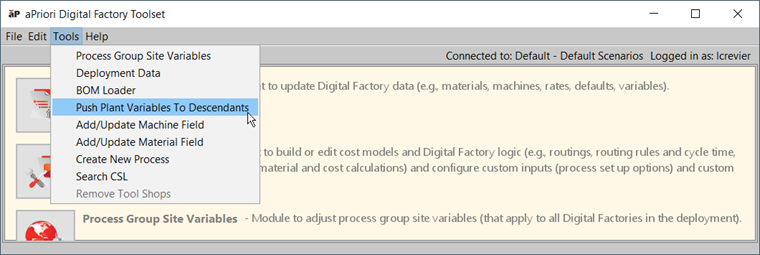
Figure: Push Plant Variables to Descendants -
In the Push Plant Variables to Descendants window, from the dropdown menu, select the parent Digital Factory from which you wish to push plant variables.
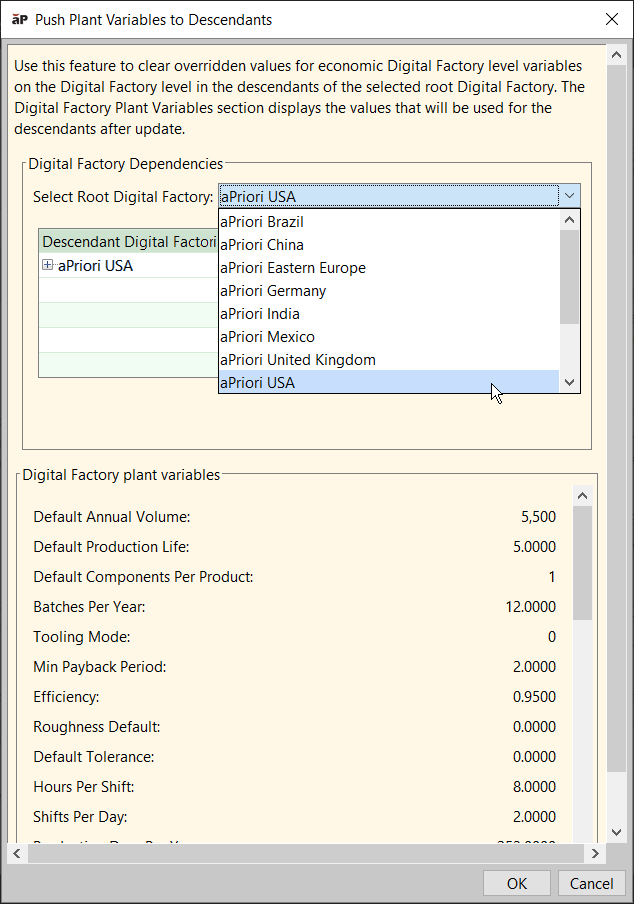
Figure: select the parent Digital Factory To view all the affected Descendants, expand the nodes for the Descendant Digital Factories.
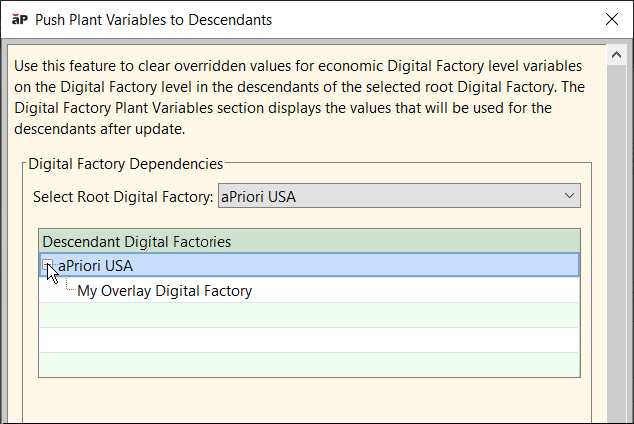
Figure: Push plant variables to descendants -
Click OK.
-
In the Digital Factories children window, click OK.
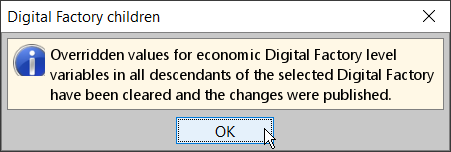
Figure: Digital Factory children
To rename or rebase overlay Digital Factories
Renaming or rebasing (that is, changing which Digital Factories an overlay inherits from) overlay Digital Factories can be done with out-of-the-box aP Pro, but the procedure is manual, complex, and subject to errors due to typos.
If you need to rename or rebase your overlay Digital Factories, please contact your aPriori Expert Service Consultant, who, on your behalf, can run a script to update your Digital Factories in bulk.