Delete Digital Factories
You can delete a Digital Factory if it has become outdated or to remove a Digital Factory created for training.
You cannot delete a Digital Factory which:
- is the default Digital Factory for a process group.
- has overlay Digital Factories that inherit from it.
See also Deleting Inactive Digital Factories.
Delete a Digital Factory
- Open the Digital Factory you want to delete, then select File > Delete Digital Factory.
- Click OK to delete the Digital Factory.
Viewing a Digital Factory change log
When a Digital Factory is exported, information can be entered into the Digital Factory change log. You can view this log when the Digital Factory is imported.
- Open the Digital Factory for which you want to view the change log.
-
Select File > View Digital Factory Change Log from the aPriori Digital Factory Manager menu bar to display the Digital Factory Change Log window.
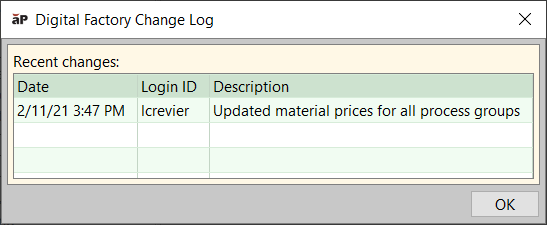
-
Click OK to close the change log.