Dependency context details
In addition to other UDAs, Dependency Contexts can be defined with Process Group, Digital Factory, and Material selections.
There are a few important things to note about the logic within dependency definitions:
-
The order of the Dependency Contexts is important because the first context that is met is used (see following screenshots). Place the most specific and highest priority Dependency Contexts at the top of the list.
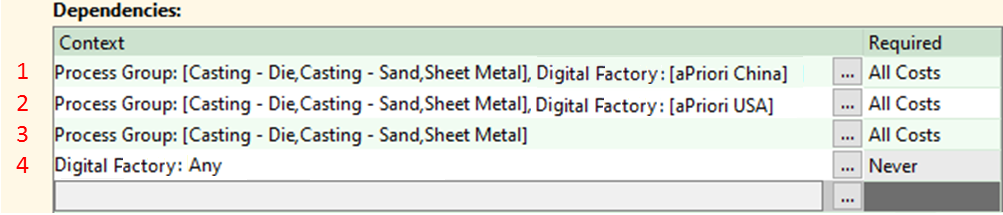
-
Within a given Dependency Context, the logic is evaluated as “or” within a field and “and” from field to field.
The following context reads:
if Process Group = [ Casting – Die or Sheet Metal or Casting – Sand ] and Digital Factory = aPriori USA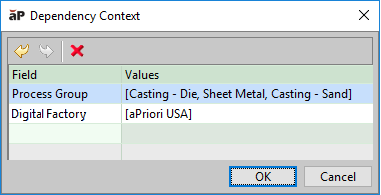
-
If no values are provided for a given Dependency Context then the UDA will be rendered as read only in the user interface. Users will be able to access a dialog that explains why the UDA is disabled.

-
You must define a “terminator context”: a general Dependency Context such as Digital Factory = Any, which will evaluate to true whenever none of the Dependency Contexts above are met.

-
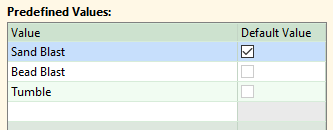
If no Dependency Context is met, then all UDA level settings are used: Required behavior, Default Value, and full Predefined List.

-
You MUST ensure that UDAs are implemented in a logical order when configuring the Cost Guide view. Logical order is not enforced by aPriori .