View Detailed License Information
- Select Tools > Admin Tools > System Admin Toolset
- Click the System Administrator link.
- Click License Modules in the left menu to display the License Modules tab.
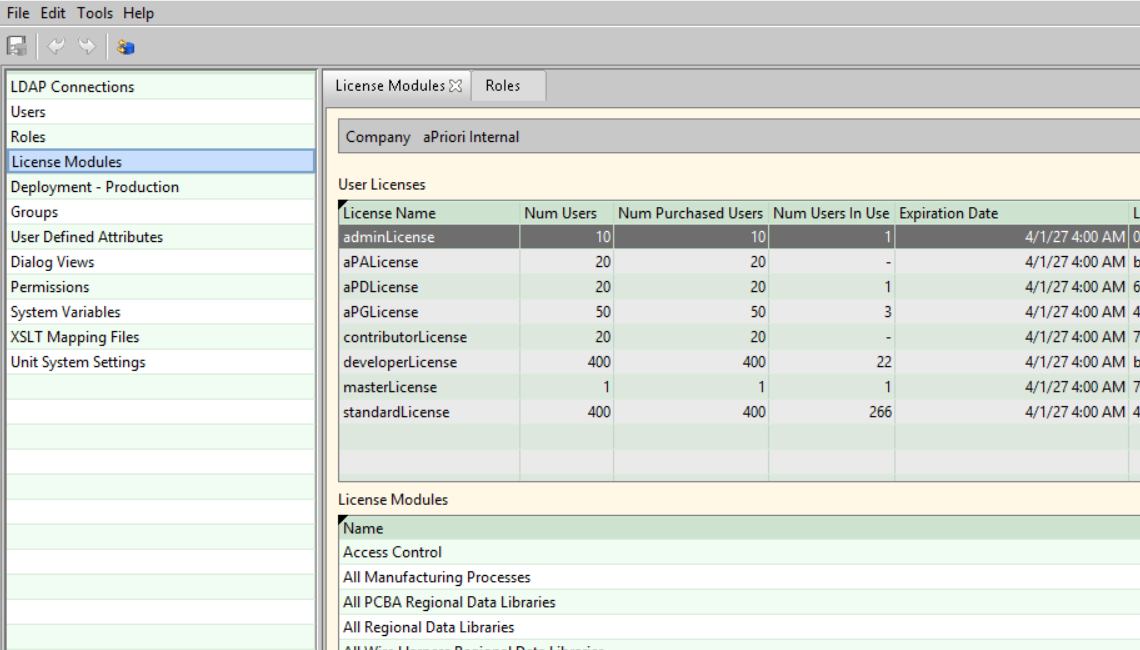
The name of the company that owns the licenses and the following user license information appears:
| Column | Description |
|---|---|
| License Name | Descriptive identifier |
| Num Users | Maximum number of users that can be assigned |
| Num Purchased Users | Number of users, including administrators, purchased for the license |
| Num Users in Use | Number ofaPrioriusers with assigned licenses |
| Expiration Date | Date and time the license expires |
| License ID | Unique identifier for each type of license generated at the time of purchase |
| Signature Data | Digital signature for the license |
The License Modules list displays the licensed modules associated with the license selected in the User Licenses list.