Currencies in aPriori
aPriori supports multiple currencies and user-defined historical exchange rate versions. This allows the user to select the currency used to display costs. It also provides the ability to save and then use different versions of historical exchange rates cost components. It can also aggregate component costs that are specified in multiple currencies and display them in a single currency.
Info:
By default, aP Pro uses US Dollars (USD) as the active currency. Users can change currencies - see Change Currencies.
View Currency Data
- Select Tools > Digital Factory Toolset from the aPriori menu bar, then click Deployment Data to display the Deployment Data Administration window.
-
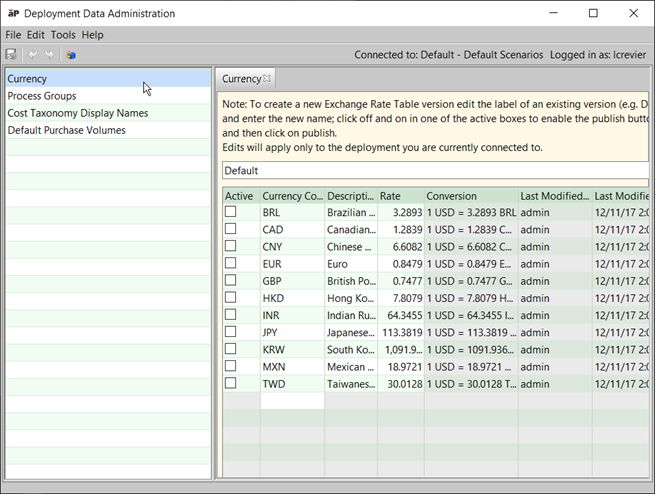
Click Currency in the Navigation pane to display a Currency tab in the Data pane:
Currency Management Functions
The Deployment Data Administration tool allows you to:
- Select which currencies are active in the aPriori application - see Selecting the currencies to display.
- Add, edit, and delete the currencies available - see Managing currency data.
- Set the currency and exchange rate version for a specific version - see Saving an exchange rate version.
You can also set the currency for a Digital Factory - see Changing currency and exchange rate version