Basic Structure of the XML File
The following section gives a high-level overview of the contents of a typical aPriori spreadsheet report XML file. For more detailed information, see the XML Reference section.
<?xml version="1.0" encoding="utf-8"?>
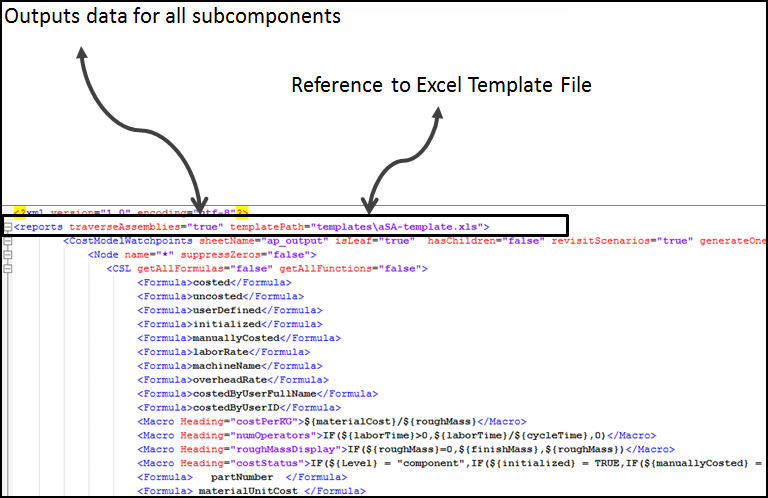
<reports templatePath="templates/costdriver.report.template.xls"
  traverseAssemblies="true">   <CostModelWatchpoints sheetName="apOutput">
 </CostModelWatchpoints>
 ...
 <CostModelWatchpoints>...</CostModelWatchPoints>
 </reports>
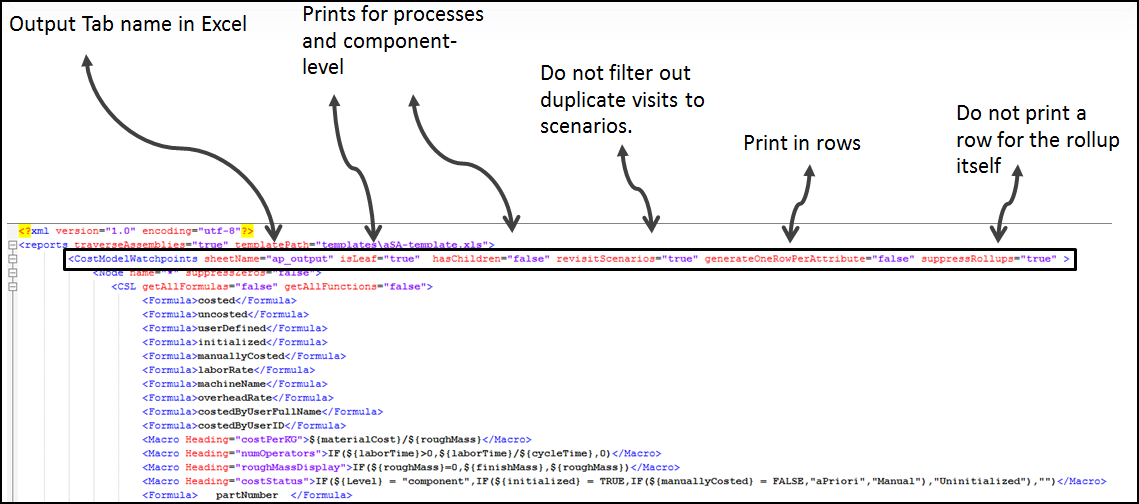
A <reports> tag can contain any number of <CostModelWatchPoints> tags, each of which represents a logical group of data to be generated. In the case of the data going to Excel, each <CostModelWatchpoints> section generates data to a single worksheet (named by the 'sheetName' attribute). For example:
<CostModelWatchpoints sheetName="apOutput">
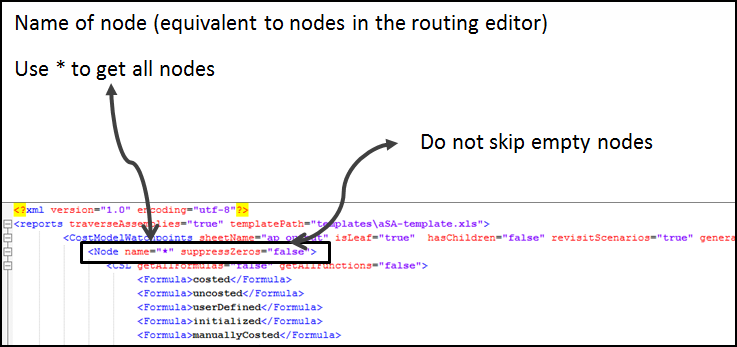
   <Node name="*" isLeaf="true" suppressZeros="false" tag="first">
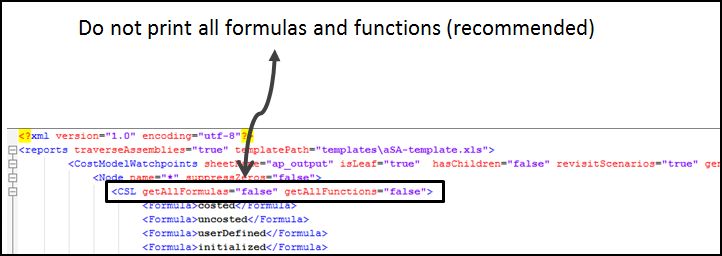
     <CSL>
         <Formula>materialCost</Formula>
         <Formula>laborCost</Formula>
         <Formula>directOverheadCost</Formula>
         <Formula>setupCostPerPart</Formula>
         <Formula>expendableToolingCostPerPart</Formula>
         <Formula>targetCost</Formula>
     </CSL>
   </Node>
</CostModelWatchpoints>
The <reports> Tag
See <reports> for a detailed reference.
The <CostModelWatchPoints> Tag
See <CostModelWatchpoints> for a detailed reference.
The <node> Tag
See <node>for a detailed reference.
The <CSL> Tag
See <CSL> for a detailed reference.
The <Formula> and <Macro> Tags
See <Formula> and <MACRO> for a detailed reference.
Commonly Used Variables
Here are some commonly used variables that can get you started.
For all components:
- calculationDate
- costedByUserFullName
- selectedRoutingName: removes unnecessary optional-but-unused process names
- displayName: shows process name correctly for User Defined Processes
For parts
- materialName
- materialStockName
- materialUnitCost: shows actual unit cost used in material calculation
For assembly sub-components
- parentScenario
- countInParent
- “aggregates” = (individual value) x countInParent
This provides only the count for the current BOM depth. If you have the same part in multiple depths of the BOM, it does not output the total count in all BOM levels as one value, but rather it a value for each level.
Built-in Aggregation, Quoted Cost and other
The following formulas/attributes are available for components, assemblies and rollups.
For the aggregation attributes, consider the following example
- Assembly1 consists of 3 parts: 2 instances of Part A and one instance of Part B.
- Within Assembly1, "countInParent" of Part A is 2 and of Part B is 1.
For example, there is another assembly
- Assembly2, that contains instances of Assembly1.
- For Assembly1, in the context of Assembly 2, "countInParent" is still 2.
- The values of "countInParent" for parts A and B are the same as well.
The following attributes are available at any level.
Use some subset of these if you set "generateStandardColumns" to false:
- gcdType
- gcdName
- processName
- nodeName
- processGroupName
- partNumber
- scenarioType
- scenarioName
- vpeName
Costs and weights work the same way as counts. So "aggregateCostInParent" for a given part is fullyBurdenedCost + costOfChildScenarios)* countInParent
Note:
"aggregateCost..." (and by extension "aggregateFinishMass") includes the (aggregate) cost of child scenarios for rollups and assemblies. Logically, the cost of child scenarios for mere parts is 0.
The following s a list of the aggregated attributes:
- parentScenario
- parentScenarioType
- countInParent
- aggregateCost (aggregateFullyBurdenedCost)
- aggregateCostInParent
- costOfChildScenarios
- aggregateFinishMass
- aggregateFinishMassInParent
- finishMassOfChildScenarios
- aggregateFullyBurdenedCost
- aggregatePiecePartCost
- aggregateToolingCostPerPart (ammortized tooling)
- aggregateFixtureCostPerPart
- aggregateProgrammingCostPerPart
- aggregateAdditionalDirectCosts
- aggregateExtraCosts
- aggregateMaterialCost
- aggregateOverheadCost
- aggregateLogisticsCost
- aggregateLaborCost
- aggregateLaborTime
Non ammortized aggregates:
- aggregateCapitalInvestment
- aggregateHardToolingcost
- aggregateFixtureCost
- aggregateProgrammingCost
User Defined Attributes
User-defined attributes are accessible directly. That is, a custom (or user-defined attribute) called "owner" accessible as "customAttributes.owner"
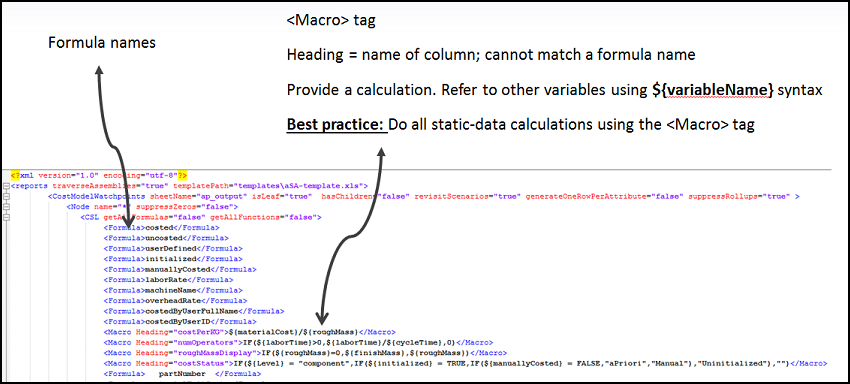
Using the <Macro> Tag
Use the Macro tag to generate formulas that run in Excel. Only the subset of formulas supported by Apache POI is supported (see http://poi.apache.org/spreadsheet/formula.html).
Example
<Macro Heading="bob">${fullyBurdenedCost}*${countInParent}</Macro>
This generates a column called "bob" that for each generated row contains the Excel formula =$R1$C1 + $R1Rc2, where:
- R1 is the value of the current row
- C1 is the column name where fullyBurdened cost landed
- C2 is the column where countInParent landed.
This assumes that you have specified that the report generator should generate these two columns within the same <CSL> tag. Note that the name that you use for a column should be the name of the Heading attribute if there is one.
Other available syntax:
${^<colHeading>}refers to the<colHeading>cell in the previous row (map to 0 if this is the first row)${.<colHeading>}refers to the<colHeading>cell in the first row${@<colHeading>}refers to the column (the entire column)
In addition, the report generator creates a named range that maps to the data values (it excludes the header row) for each column with the column header name. You can just refer to that name in your formula macro.
Note:
If a non-existent column is referenced in a macro formula, the value "0" is substituted. A non-existent column can occur if you have a Macro spec that references columns for which the current "Node/CSL" elements have generated no rows. For example, assume that your Node spec is looking for all leaf nodes, only some of which have the custom output "foo". If you use "foo" in a macro formula, there no column for "foo" in the output spreadsheet until we hit a node that causes us to create one.