View Status Messages
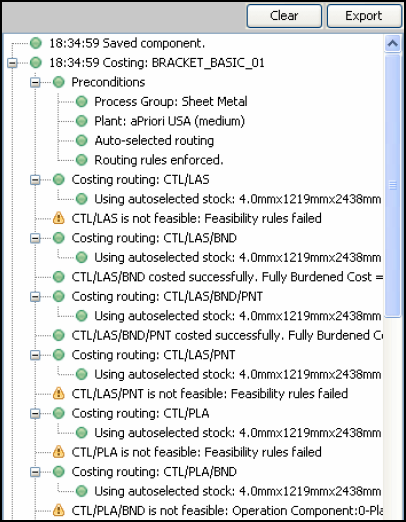
Status messages provide detailed information about cost (analysis) estimation calculations. Any warnings or errors that occur during costing are displayed as status messages.
Use Status Messages
When you Analyze a Component, you may find that the component cannot be costed using certain processes; for example, the component may be too thick to be cut using a laser, or too big for a certain machine. The status messages pane shows you more information about these feasibility issues.
For example:
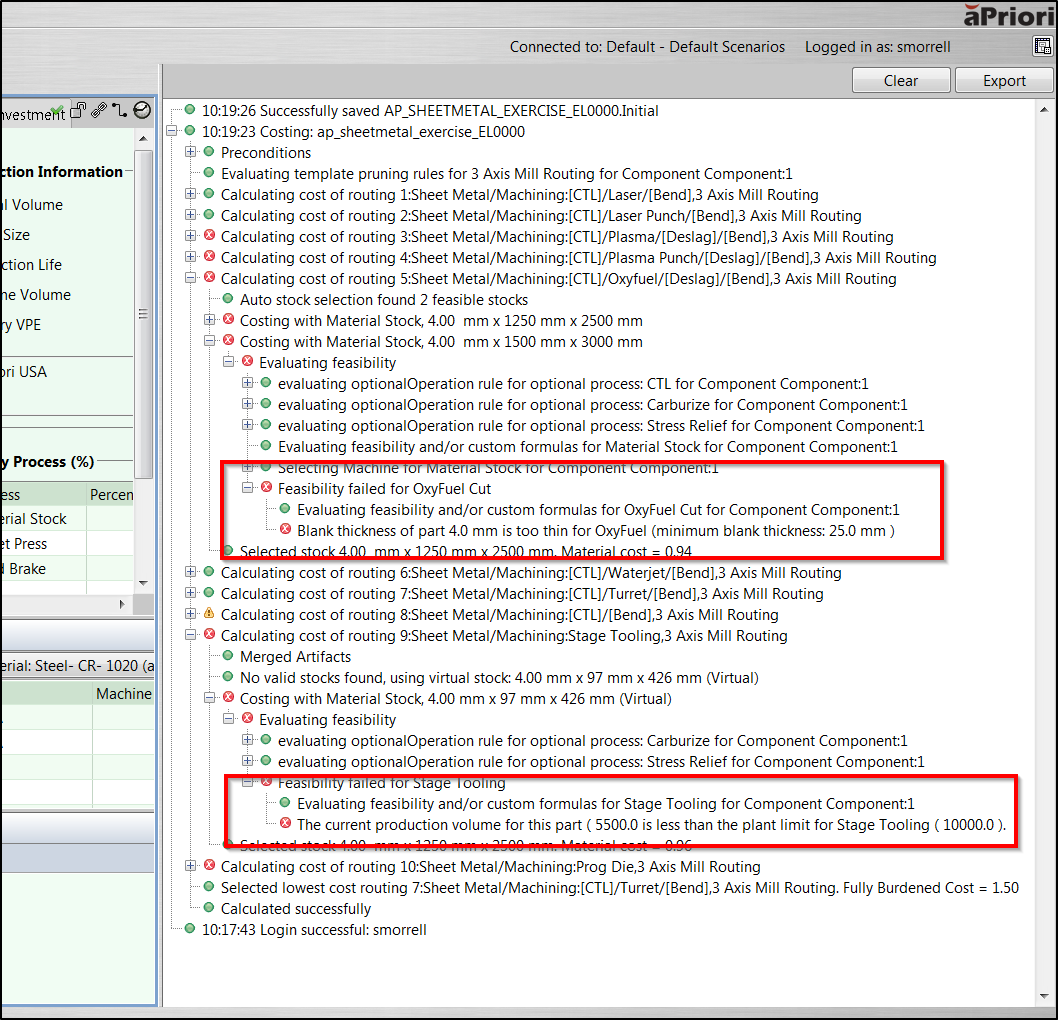
This shows that
- This component is too thin to be cut using OxyFuel.
- The production volume is below the limit at which stage tooling is allowed.
You may then want to change your scenario, or configure your Digital Factory, to enable manufacturing for this component.
View / Hide Status Messages
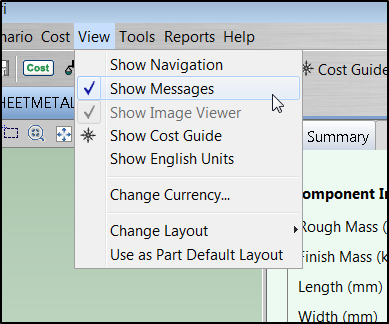
To view / hide messages, select / deselect View > Show Messages or click the  button.
Other Message Functions
- To clear all messages, click the Clear button in the messages pane.
- To export messages to a log file for review, click the Export button in the messages pane.