Add or Modify Material Stocks Using a Spreadsheet
- Expand the Materials node of the process group to which you want to add stocks.
- Expand a material to reveal the stock form node(s).
-
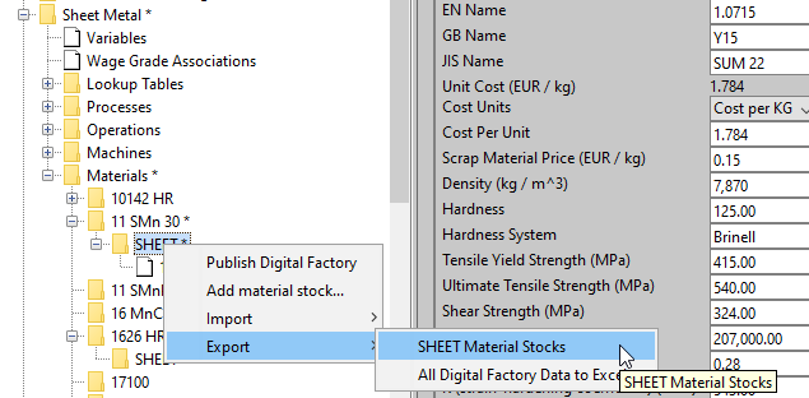
Right click the desired stock form and select Export > stock-form-name Material Stocks.
-
Save the exported CSV file locally.
- Open the exported file in Excel, update it as necessary, and save it.
-
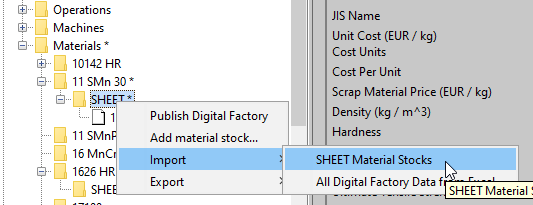
In the Digital Factory Manager, right click the desired stock form and select Import > stock-form-name Material Stocks.
-
Navigate to the updated CSV file, and click Open.