Wire Harness BOM Formatting
The starting point for a Wire Harness manufacturing analysis is the BOM (Bill of Materials). This BOM is stored in your PLM (Product Life Management) or MRP (Manufacturing Requirements Planning) system, and can be extracted to a CSV file:
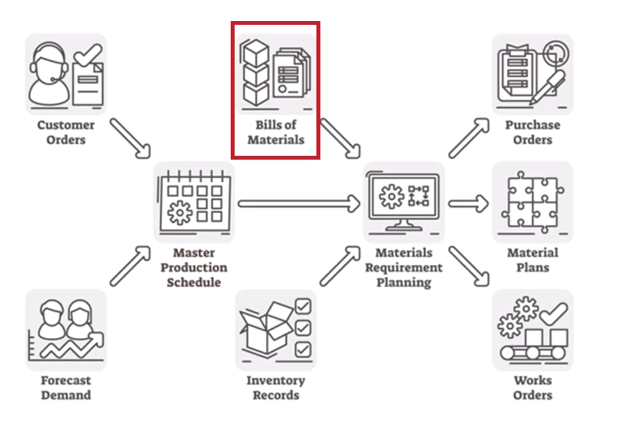
Your aPriori can support and interact with differing BOM formats. Supported design tools include standard CAD applications, such as Creo, dedicated Wire Harness applications, such as Zuken E3.series, and drawing applications, such as AutoCAD.
Info:
Typically, your implementation representative at aPriori will help you create and develop the initial BOM Format.
Critical Data
You must ensure that the following data is in your BOM file, before importing this into aP Pro (defined in Column Mapping - see Map BOM Loader Headings):
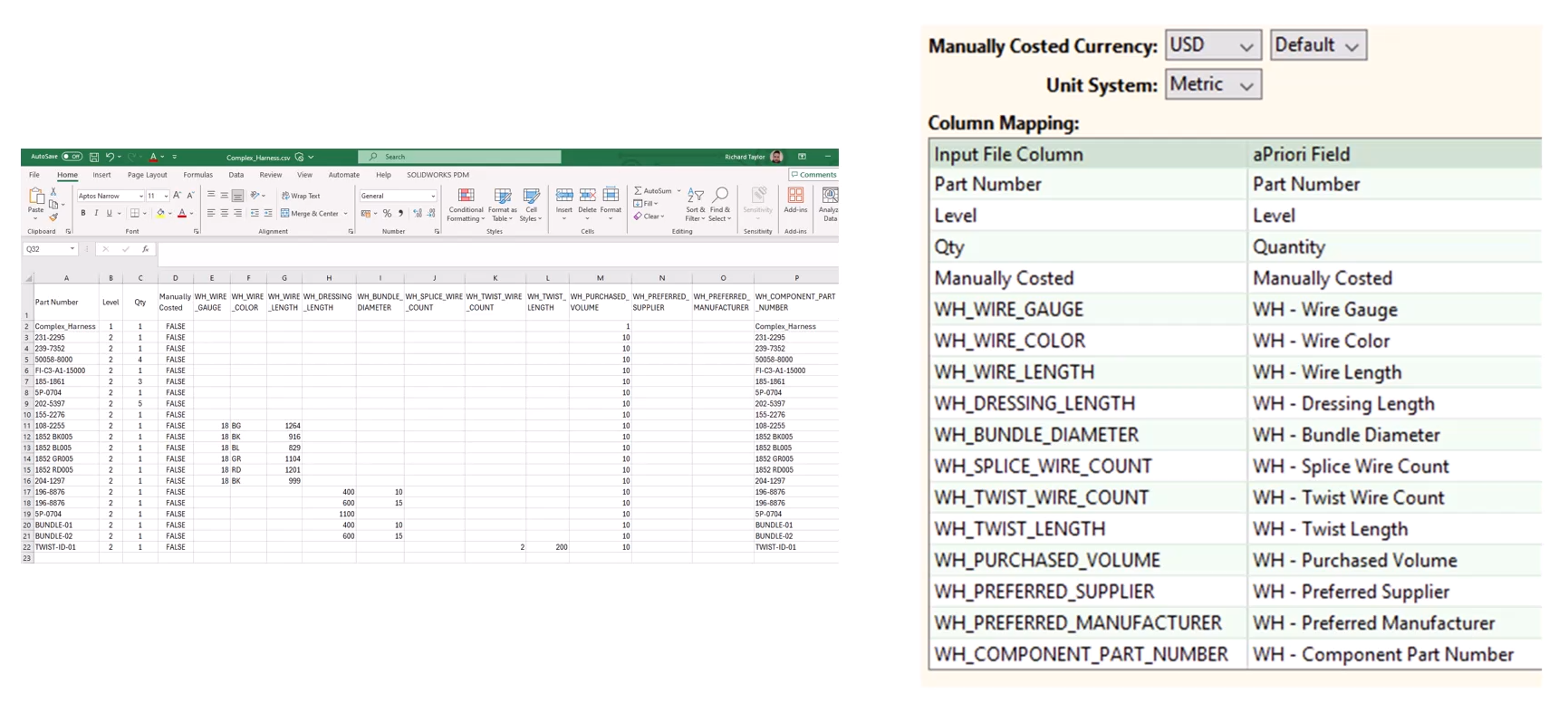
- Part Number must be defined concerning to the overall assembly and to each of the components within that assembly.
- Level defines the hierarchy - in the above example, the Assembly itself is set to Level 1 which is effectively the master level, with all the remaining components within it set to Level 2.
- Quantity defines the quantities, including both Wire Harness assemblies and the individual components.
-
Manually Costed defines what to cost in the BOM.
Generally, this will be set to FALSE. However, may be set to TRUE to assign that cost value manually at a later stage. See Setting Manual Costing.
-
Details of the wires gauge, color and length are listed as well as information concerning to dressing length, bundle diameter, characteristics of splicing and twist.
Tip:
See Cost a Wire Harness for more details about the import process, and see Wire Harness Common Issues for troubleshooting advice.
Setting Manual Costing
You can set Manually Costed in a BOM's elements to TRUE or FALSE:
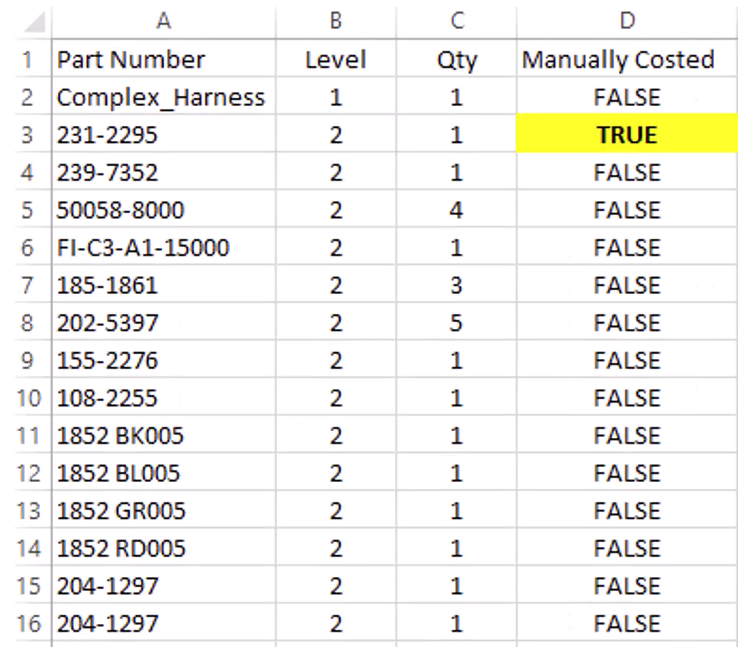
If you set a component to TRUE, this allows you to manually cost the physical component at a later point. However, this also removes that component from any relevant assembly operations, so any estimation result will not account for the full scope of the Wire Harness assembly.
For example, set this to TRUE for:
- Components to include in the total cost roll up of the harness, but not necessarily part of the harness itself, such as paperwork or test documentation reports.
- Components where you are currently negotiating the final cost with the supplier.