Changing currency and exchange rate version
You can specify a default currency and a saved exchange rate version for a Digital Factory.
- Open a Digital Factory. For more information, see Opening a Digital Factory.
-
Click Tools > Digital Factories > Change Digital Factory Currency.
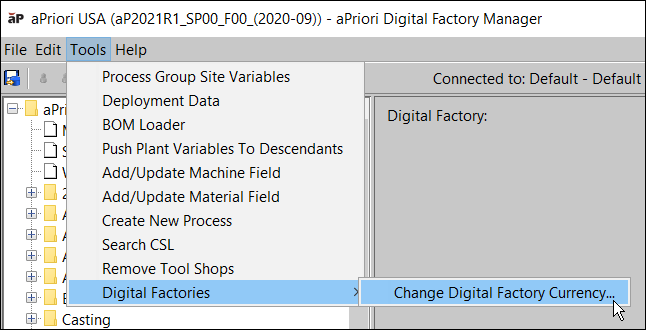
Figure: Changing Digital Factory curency -
In the Change Digital Factory Currency dialog, select the desired currency and (optionally) the desired saved exchange rate table from the drop-down menus.
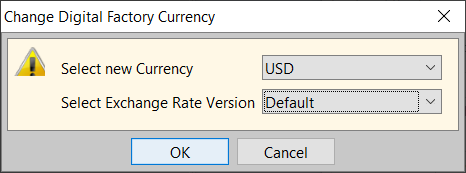
Figure: Select new currency
For more information about saving exchange rate versions, see Saving an exchange rate version.