Wire Harness Common Issues
Importing a Wire Harness into aP Pro requires user inputs from a correctly defined BOM (see Wire Harness BOM Formatting).
To extract this information, all this input data must contain the correct information in each cell of the CSV file, correctly formatted.
Issues
Here are some common issues.
File Name Mismatch
The file names in the CSV file must exactly match the equivalents in the aP Pro Wire Harness Part Number field, including matching capitalization. If they do not exactly match, this will result in an error.
For example:
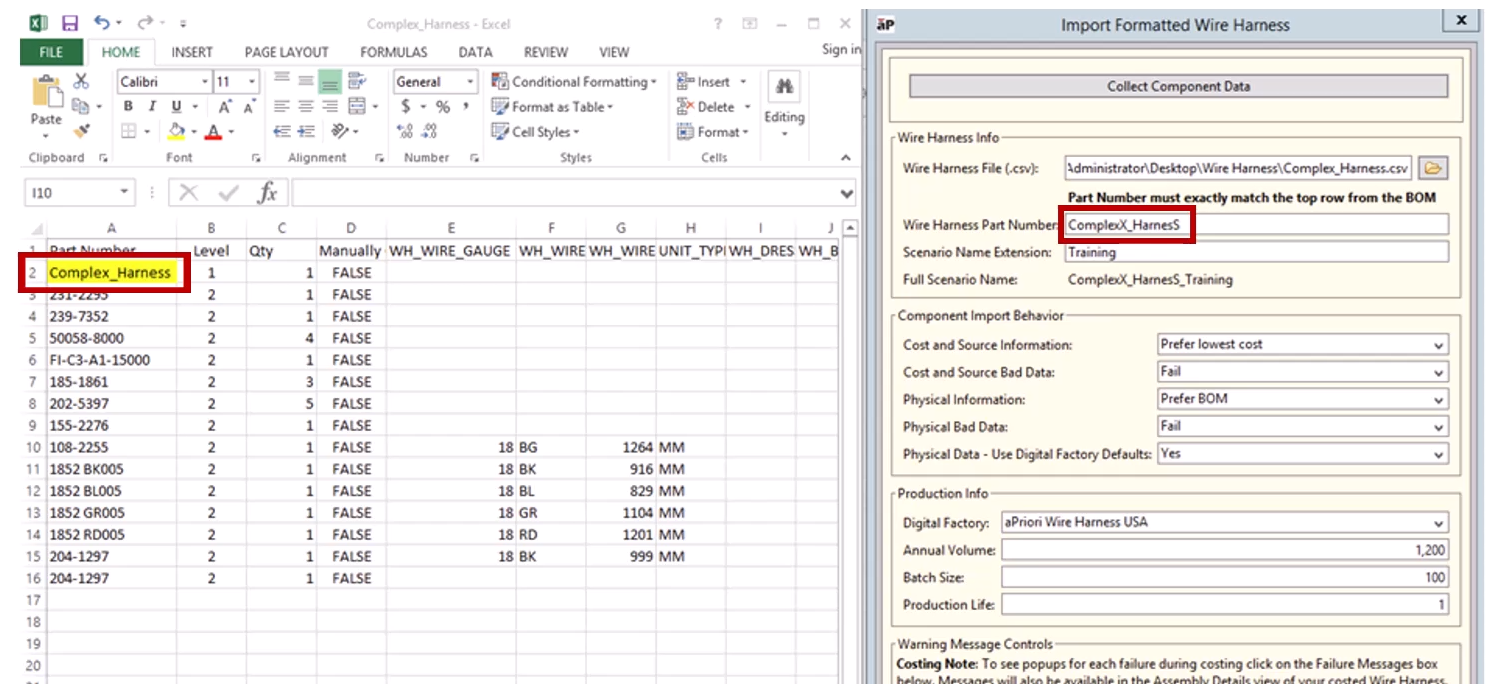
Here, the capitalization for the field does not match, resulting in an error message:
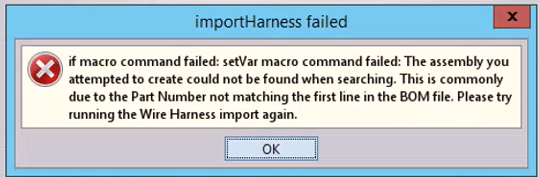
Ensure you match names and capitalization exactly before importing.
Missing Mandatory Information
Where critical information is omitted, then this will also be flagged as an error. For example:
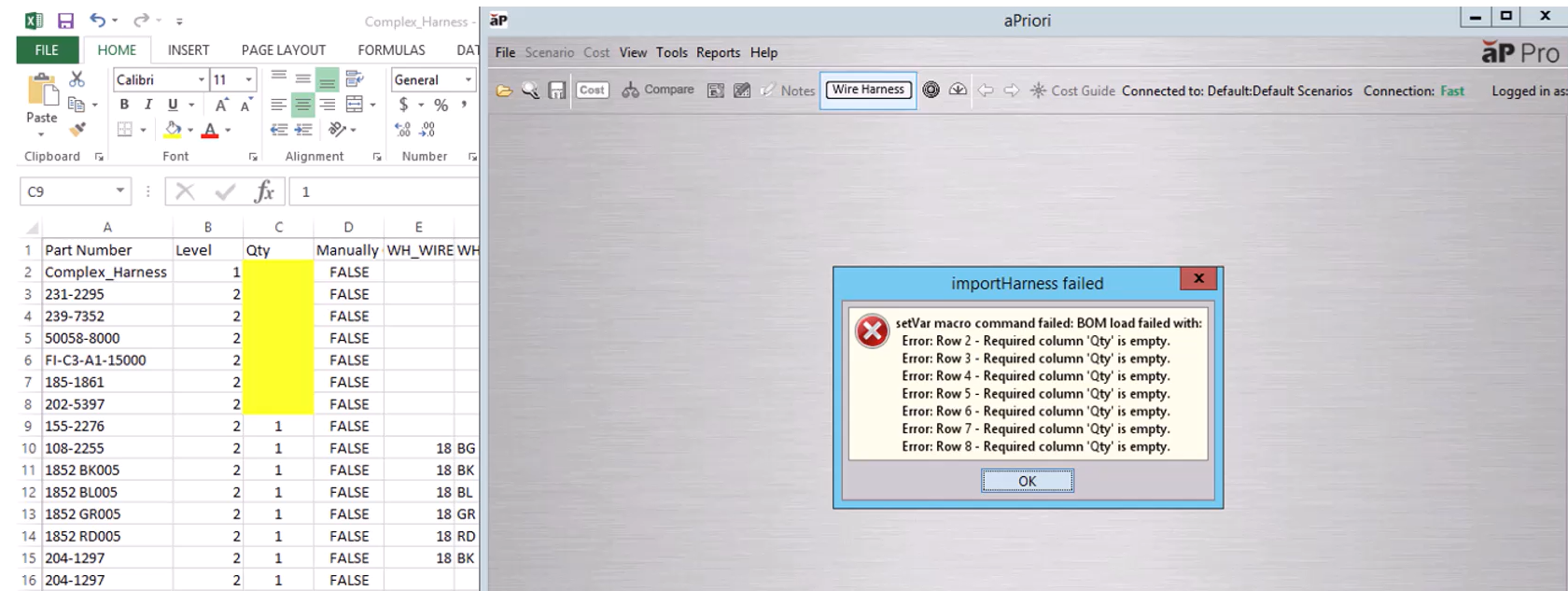
Here, the quantities have not been assigned between rows 2 – 8.
Ensure all critical information is entered before importing.
Data Not Found
There may be situations where a Part Number does not yet exist within the component library. For example:
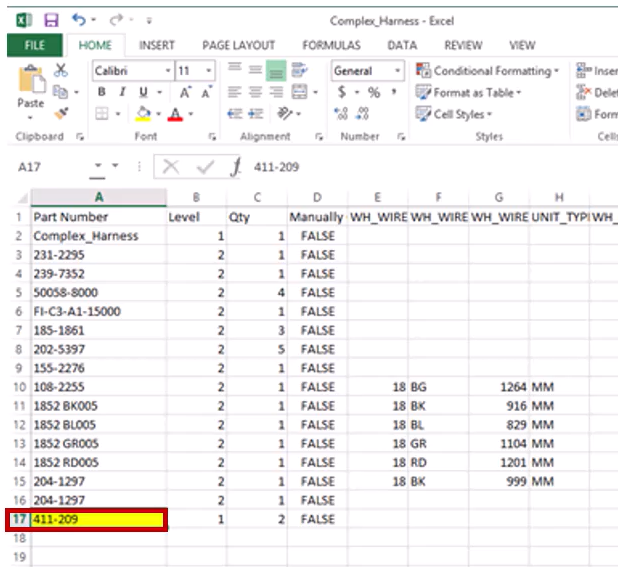
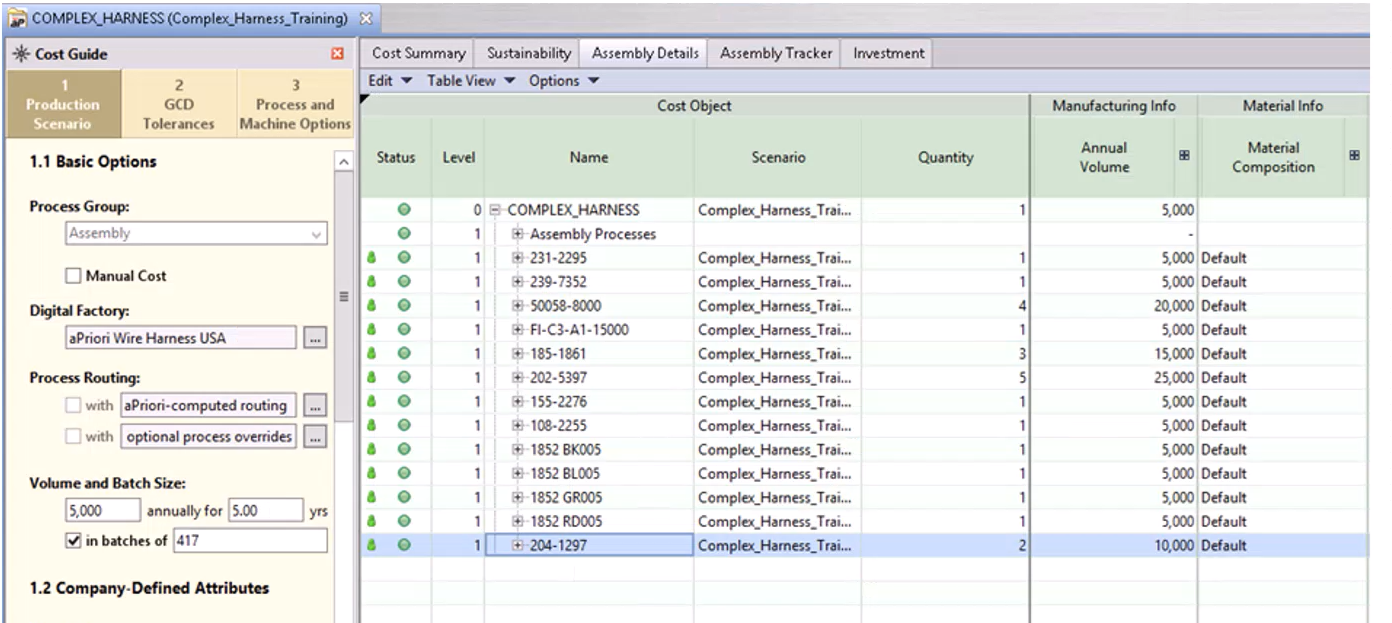
Part number 411-209 is included within the CSV file.
However, it is not included in the assembly detail part list:
Note:
This may or may not be displayed as an error, dependent upon how the component behavior options have been set up.
Incorrect Unit Types
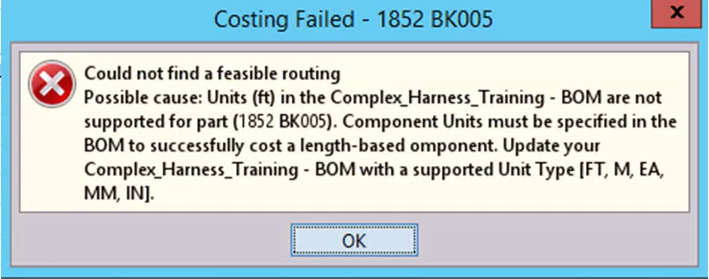
You should also ensure that you have chosen to add the correct unit type within your CSV file - supported unit types include FT, M, EA, MM and IN. If you set the unit type incorrectly, this will create an error message. For example:
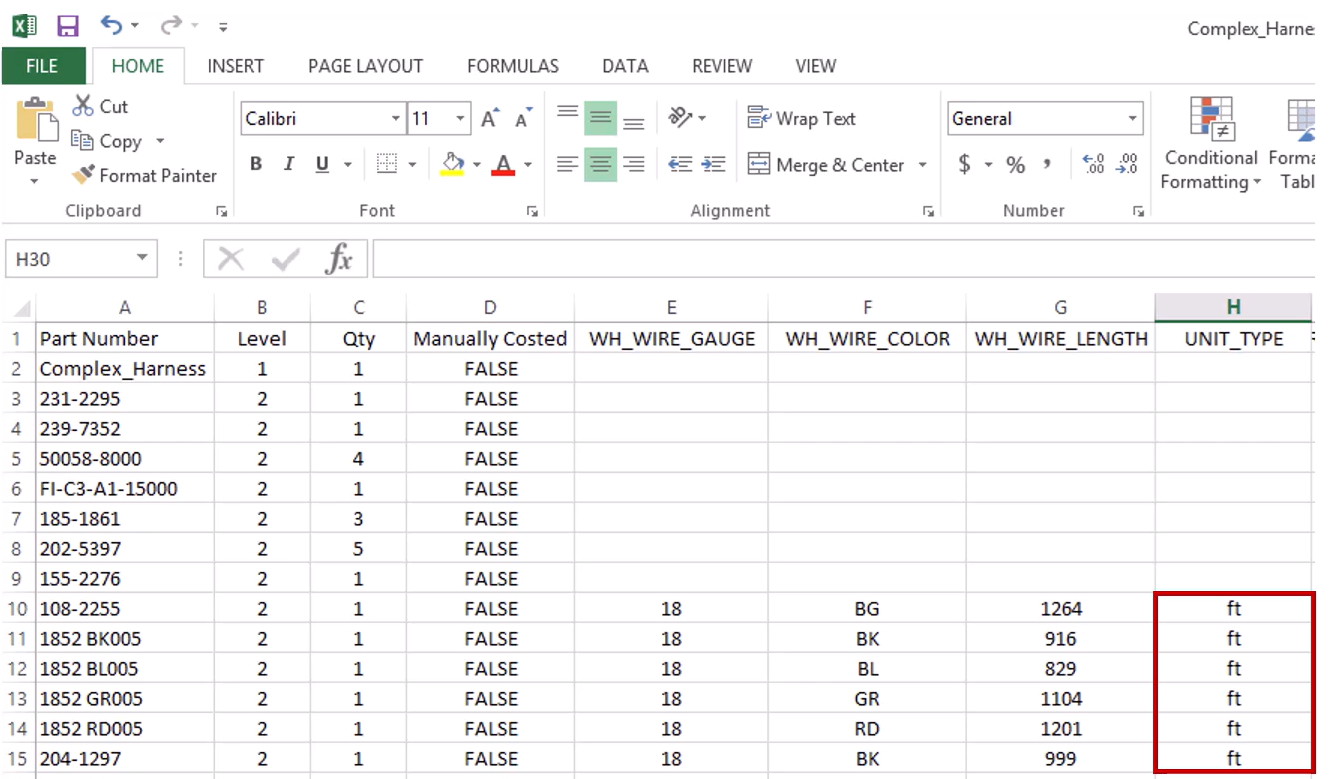
Here the unit type chosen was lower case ft – this is not a supported unit and therefore results in a costing failure:
Infeasible Routings
You may find that your results return infeasible routings. For example:
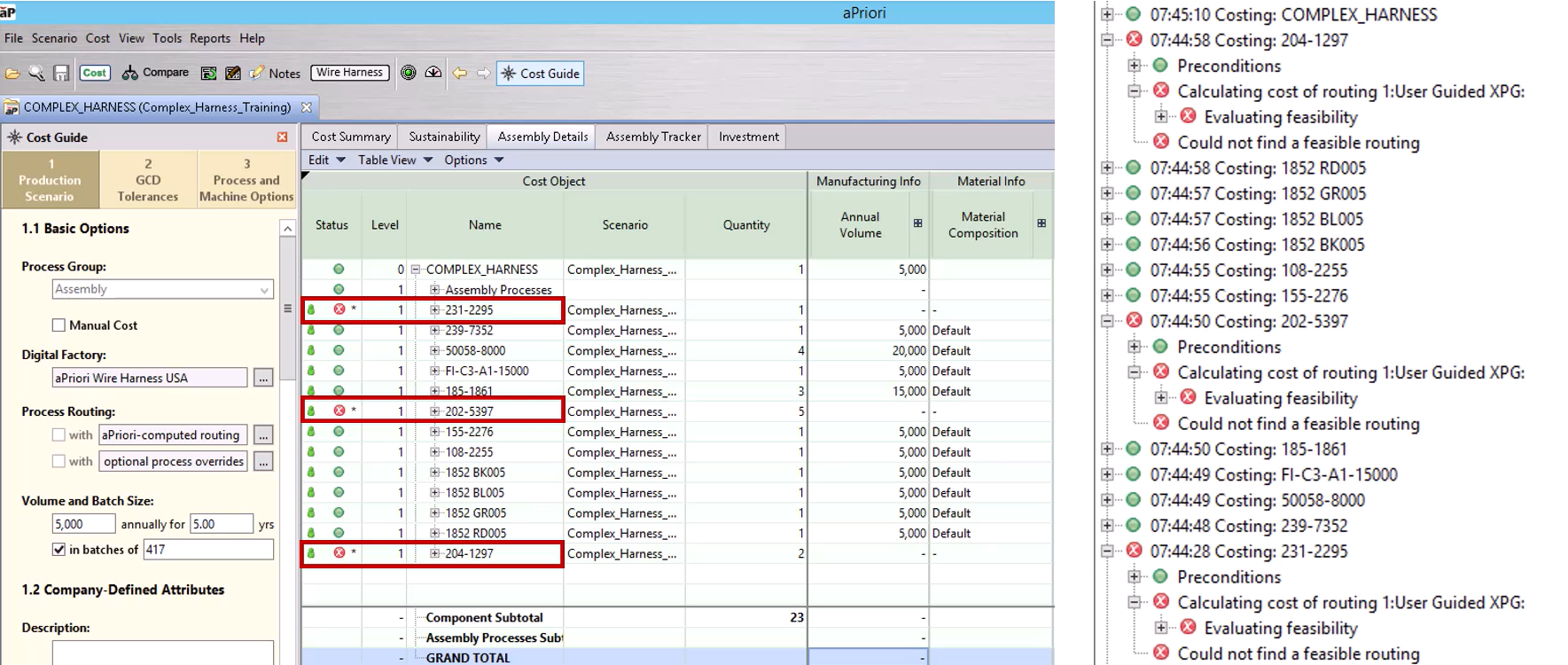
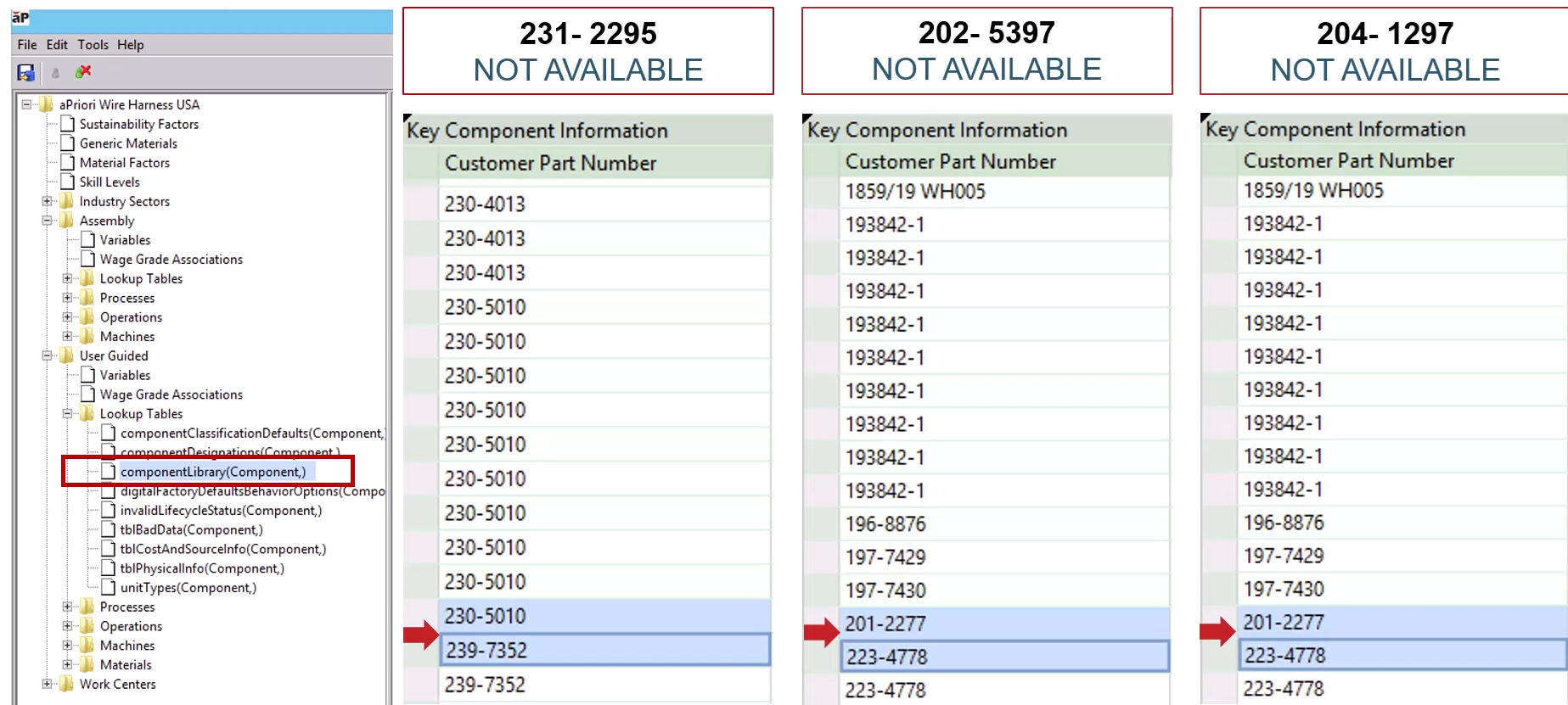
Here, this is marked against parts 231-2295, 202-5397, and 204-1297.
Checking the Component Library within the Digital Toolset you can see that these part are absent: