Managing System Variables for User Lockout
Administrators can limit the number of consecutive, unsuccessful log-in attempts a user is permitted by temporarily locking a user out of both aP Pro and aP Admin if the user exceeds a specified number of failed attempts while trying to log-in to either application. During a temporary lockout, neither a successful nor an unsuccessful login attempt allows the user to log in. When the timeout duration is exceeded, the user can log in to aP Pro or aP Admin by using the correct credentials. The aPriori System Administrator module, within the System Admin Toolset, now includes two new System Variables related to this feature.
-
numberOfLoginAttempts– Number of consecutive times that a user can unsuccessfully attempt to log into aP Pro or aP Admin before being temporarily locked out. By default, numberOfLoginAttempts is set to zero, which disables the temporary lockout feature.To implement the temporary lockout, in aP Pro, in the System Admin Toolset, a System Administrator must specify a positive, nonzero value for
numberOfLoginAttempts.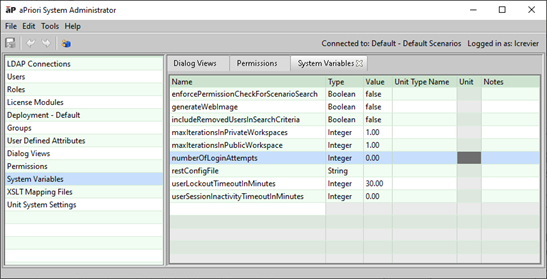
-
userLockoutTimeoutInMinutes– Amount of time that a user will be locked out of both aP Pro and aP Admin after exceeding the failed log-in attempt limit.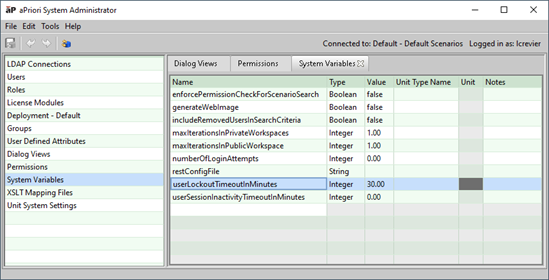 To allow a locked-out user to log-in before the specified lock-out duration has passed, an aPriori administrator can initiate a password reset for the user.
By default,
userLockoutTimeoutInMinutesis set to 30 minutes.To use a different value, a system administrator can use the System Admin Toolset.
If
userLockoutTimeoutInMinutesis set to 0, when a lockout occurs, the only way for the user to successfully log back is for an aPriori administrator to initiate a password reset for the user.