Costing with CAD properties
Your aPriori System Administrator may have configured your deployment to automatically extract properties or parameters from the CAD file and map those values to aPriori production inputs or User Defined Attributes (UDAs). (See Costing using CAD properties in this guide, and the chapter “Using CAD Properties” in the aP Pro System Administration Guide.)
If so, you can specify that bulk costing extract these properties directly from the CAD file as soon as you load the bulk costing screen. There is a property that enables this behavior in <aPriori_install>\ext\analysis-purchasing-module\lugin.properties``bulkload.readCadProperties=true.
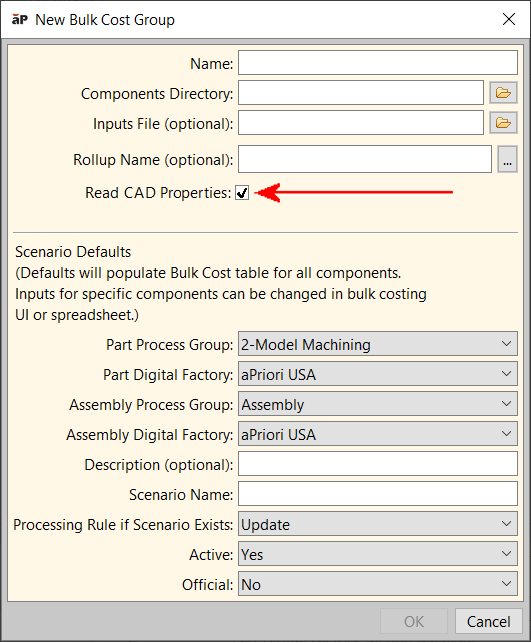
There is also a Read CAD Properties checkbox that reflects this appears in the New Bulk Costing Group dialog.
Note:
If your administrator has a CAD properties mapping file in place and your CAD file(s) contain those properties, loading the bulk costing UI will incur a performance cost due to the property extraction process. You can choose whether to take that performance hit up front (by checking the Read CAD Properties checkbox, or later during costing (by leaving the box unchecked). If you check the box, the extraction process will be cached for two days. If the leave the box unchecked, you will encounter the performance hit whenever you cost your bulk costing group. aPriori recommends that you leave the box checked.